

















Key Features
- Varied Difficulty: Grids range from easy 5x5 sizes to more challenging levels suitable for both beginners and experts.
- Relaxed Gameplay: There are no timers or rushing, allowing you to solve puzzles at your own pace.
- Interactive Decorating: The treehouse grows and can be furnished as you make progress in the game.
How to Play
Solving the Grid
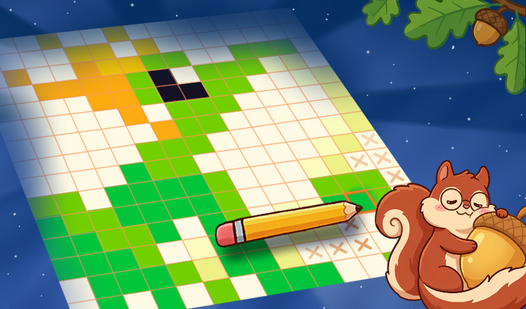
Use the numbers along the edges of the grid to determine which cells to fill. Numbers indicate the size of filled cell groups, and sequences like 4 2 indicate four filled cells, at least one empty space, and then two filled cells.
Desktop Controls
Use left click to fill a cell and right click to mark a cell with an X to indicate it is empty.
Mobile Controls
Switch between fill mode and X mode using the button located under the grid, then tap the cells to apply your selection.
Treehouse Progression
Earn wood, gold, and acorns by solving puzzles. Use these resources to add floors, buy furniture, and decorate the treehouse.
Who Should Play Nonogram: Squirrel Treehouse?
Frequently Asked Questions about Nonogram: Squirrel Treehouse
What do the numbers on the edges mean?
They indicate how many filled cells are in a row or column. If there are multiple numbers, they represent separate groups of filled cells with at least one empty space between them.
How do I use the X marks?
X marks are used to indicate cells that you know are empty, which helps keep the grid organized while solving.
Are there tutorials for new players?
Yes, a short tutorial is available to explain the rules of picross.
Is Nonogram: Squirrel Treehouse free to play?
Yes, Nonogram: Squirrel Treehouse is free to play on Nub Games. Optional in-app purchases are available. No download or registration required.
Can I play Nonogram: Squirrel Treehouse on mobile?
Nonogram: Squirrel Treehouse works on both desktop and mobile devices. Best played in portrait mode.
What age rating is Nonogram: Squirrel Treehouse?
The catalog age rating for Nonogram: Squirrel Treehouse is 0+.