















Key Features
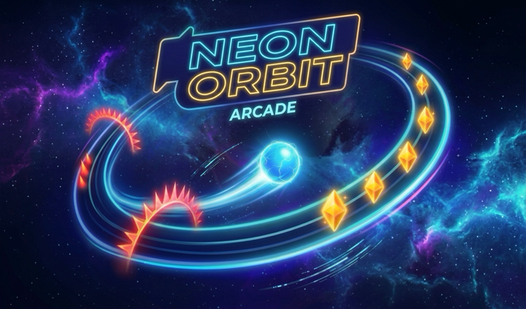
- Dual Orbit System: Switch between inner and outer lanes to dodge obstacles. Changing tracks is the only way to survive the incoming red barriers.
- Energy Collection: Grab golden crystals to boost your score. Higher multipliers require longer streaks of collection.
- Global Leaderboards: Compete against other players worldwide. Your high score determines your rank.
How to Play
Mastering Neon Orbit movement
To learn how to play Neon Orbit, you must time your lane shifts carefully. Use a mouse click, tap, or the Spacebar to swap between the inner and outer orbits. Practice this early to avoid red neon barriers. If you miss your timing, you will collide with the hazard.
Neon Orbit score optimization
Look for the golden energy crystals scattered throughout the tracks. Touching these crystals increases your score and builds your combo multiplier. The Neon Orbit controls rely on your ability to reach these items while dodging hazards. Prioritize collecting crystals only when your path is clear of red barriers.
Who Should Play Neon Orbit?
Frequently Asked Questions about Neon Orbit
How do you switch lanes in Neon Orbit?
You switch between the inner and outer orbits by tapping the screen, clicking your mouse, or pressing the Spacebar. This movement is the core mechanic for dodging red neon barrier hazards.
Can I play Neon Orbit on my phone?
Yes, Neon Orbit is supported on mobile devices. You can use touch controls to switch orbits and avoid obstacles while on the go.
What are the Neon Orbit controls?
The controls consist of a single input: tapping the screen, clicking the mouse, or pressing the Spacebar. Each action switches your position between the inner and outer orbits.
Is Neon Orbit free to play?
Yes, Neon Orbit is free to play on Nub Games. No download or registration required.
What age rating is Neon Orbit?
The catalog age rating for Neon Orbit is 0+.