











Key Features
- Custom Beat Sync: Upload your own MP3 files to force the obstacles to match your favorite music. The rhythm changes how the level flows.
- Endless Bird Mode: Procedural generation throws infinite spikes at you. It is pure chaos.
- Visual Death Effects: Watch your ball explode in a pixelated mess or fake a blue screen. It makes dying less frustrating.
- Global Map Sharing: Publish your creations using codes. See if anyone else can beat your nightmare maze.
How to Play
Mastering Neon Dash: Maker Deluxe movement
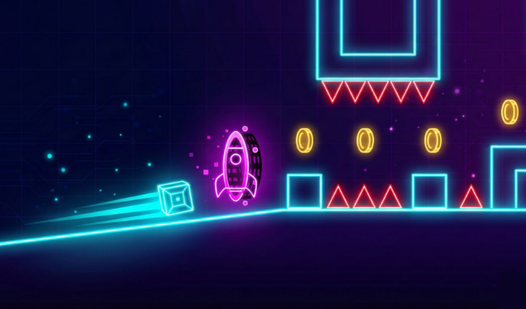
Use the spacebar or left click to jump. Hold it down when you hit a rocket portal to fly. Neon Dash: Maker Deluxe controls feel a bit slippery at first, so don't be surprised when you slide off a platform. You have to learn the timing before you can speedrun.
Building inside Neon Dash: Maker Deluxe
The editor is how to play Neon Dash: Maker Deluxe if you get bored of the base levels. Use the right click to erase your mistakes when you place a block wrong. A common mistake is building traps that are actually impossible to clear, so test your levels constantly.
Who Should Play Neon Dash: Maker Deluxe?
Frequently Asked Questions about Neon Dash: Maker Deluxe
How do you fly in Neon Dash: Maker Deluxe?
You need to hit a rocket portal to enter flight mode. Once you're in the air, just keep holding the jump button to stay aloft and avoid the spikes.
Can I play Neon Dash: Maker Deluxe on my phone?
Yes, it works on mobile browsers. Just tap the screen to jump, though the smaller screen makes the later, faster levels feel pretty unfair.
Is Neon Dash: Maker Deluxe free to play?
Yes, Neon Dash: Maker Deluxe is completely free to play on Nub Games. There are no in-app purchases. No download or registration required.
Can I play Neon Dash: Maker Deluxe on mobile?
Neon Dash: Maker Deluxe works on both desktop and mobile devices. Best played in landscape mode.
What age rating is Neon Dash: Maker Deluxe?
The catalog age rating for Neon Dash: Maker Deluxe is 6+.