









Key Features
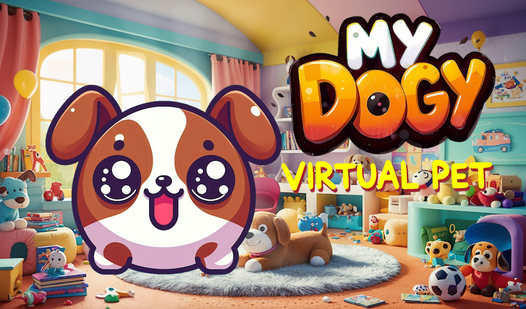
- Responsive Pet AI: Dogy reacts to your touch in real time. If you ignore him, he actually looks sad.
- Room-based Care: You move between different areas to handle specific tasks like grooming or feeding. It keeps the UI clean.
- Dynamic Stat Bars: The icons at the top show exactly what is missing. It makes balancing his needs much simpler.
- Relaxing Visuals: The art style is cute and stays out of your way. It is just a nice, chill vibe.
How to Play
My DOGY Virtual Pet: Mastering the basics
Use your mouse or tap the screen to navigate the My DOGY Virtual Pet controls. Click on the icons at the top to see what your pup needs right now. Just drag the items to Dogy to fill those hunger or happiness bars. Most players forget to check the sleep meter until he gets grumpy.
How to play My DOGY Virtual Pet effectively
Keep an eye on the color of those status bars. If they drop too low, you have to work twice as hard to get him back to a happy state. It is a simple loop, but don't get lazy. The game gets slightly more demanding as you try to juggle multiple needs at once.
Who Should Play My DOGY Virtual Pet?
Frequently Asked Questions about My DOGY Virtual Pet
Can I play My DOGY Virtual Pet on my phone?
Yes, it works on mobile browsers just as well as on a desktop. You can tap the screen to interact with the puppy whenever you have a spare moment.
What are the controls for My DOGY Virtual Pet?
The controls are entirely point-and-click. You just tap or click on the objects you want to use, though sometimes the hitboxes feel a bit cramped on smaller screens.
Is My DOGY Virtual Pet free to play?
Yes, My DOGY Virtual Pet is completely free to play on Nub Games. There are no in-app purchases. No download or registration required.
Can I play My DOGY Virtual Pet on mobile?
My DOGY Virtual Pet works on both desktop and mobile devices. Best played in portrait mode.
What age rating is My DOGY Virtual Pet?
The catalog age rating for My DOGY Virtual Pet is 12+.