




Key Features
- Strict Time Limits: The one-minute timer forces you to make decisions under pressure. You cannot afford to dwell on every single pawn move.
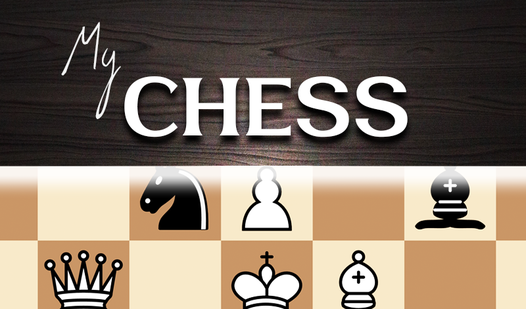
- Smooth Piece Animation: Pieces glide across the board with a satisfying weight. It helps you track complex sequences without losing your place.
- Local Versus Mode: Invite a friend to your desk for a match. It turns your screen into a proper digital board for the afternoon.
- Stat Tracking: The game logs your wins and losses. You can finally see if your win rate actually improves over time.
How to Play
My Chess: The Basics
Click a piece to see available moves, then click the destination square. My Chess controls are simple point-and-click actions. Do not rush your moves early on. You need to watch your time, as the one-minute limit per turn makes this feel like a frantic scramble instead of a slow parlor game.
Mastering My Chess tactics
You need to learn how to play My Chess effectively by controlling the center squares first. If you leave your king exposed, you will lose within seconds. A common mistake is moving your pieces too far forward without back-up. The computer AI gets surprisingly aggressive once you clear the first skill level.
Who Should Play My Chess?
Frequently Asked Questions about My Chess
Can I play My Chess on my phone?
Yes, it works on mobile browsers since it is optimized for touch interaction. You can tap to move your pieces just as easily as you would click on a desktop.
How do you castle in My Chess?
You castle by moving your king two squares toward the rook. The game automatically handles the rook jump as long as your path is clear and your king has not moved.
Is My Chess free to play?
Yes, My Chess is completely free to play on Nub Games. There are no in-app purchases. No download or registration required.
Can I play My Chess on mobile?
My Chess works on both desktop and mobile devices. Best played in portrait mode.
What age rating is My Chess?
The catalog age rating for My Chess is 0+.