Key Features
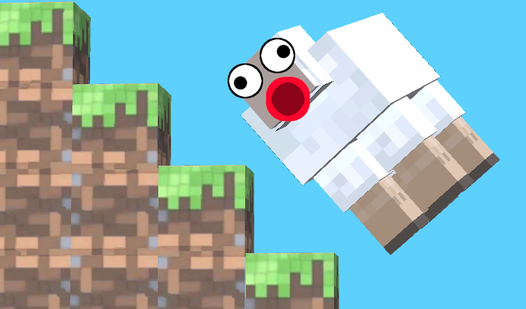
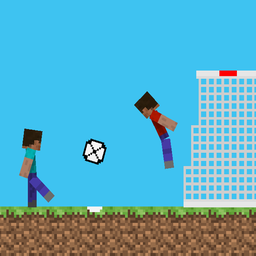
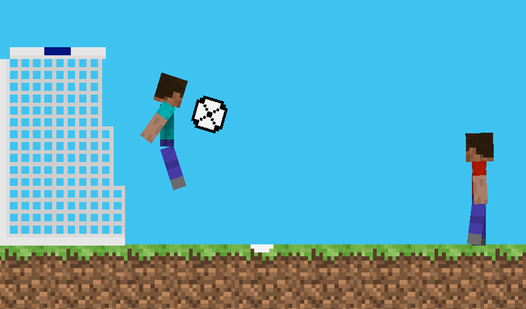
- Blocky Physics: The ball bounces in ways that make zero sense. You have to predict the weird trajectories if you want to win.
- Dual Steves: Control two characters at once if you are playing solo. It feels like trying to pat your head and rub your belly.
- Rapid Matches: Each half lasts sixty seconds. The games are over fast, which is perfect for when you just want a quick win.
- Local Rivalry: Grab a friend to play on one keyboard. It is the only way to settle who is actually better at this.
How to Play
Mastering Mineball movement
Understanding Mineball controls is the first step to winning. Use WASD or the arrow keys to navigate your Steve, but watch the momentum. You will slide around like you are on ice patches. One common mistake is holding jump too long, which sends you flying past the ball.
How to play Mineball like a pro
Time your hits perfectly to launch the ball into the net. You need to position your character so the hitbox actually connects with the sphere. If you mistime the swing, you end up looking like a total amateur. Keep practicing until the timing becomes muscle memory.
Who Should Play Mineball?
Frequently Asked Questions about Mineball
Can I play Mineball on my phone?
Yes, it works on mobile devices using the graphical buttons on your screen. The layout is simple enough to handle without a mouse.
What are the controls for Mineball?
Player one uses WASD to move and F to strike, while player two uses the arrow keys and the keypad buttons. The jumping mechanic feels a bit floaty.
Is Mineball free to play?
Yes, Mineball is completely free to play on Nub Games. There are no in-app purchases. No download or registration required.
Can I play Mineball on mobile?
Mineball works on both desktop and mobile devices. Best played in landscape mode.
What age rating is Mineball?
The catalog age rating for Mineball is 6+.