








Key Features
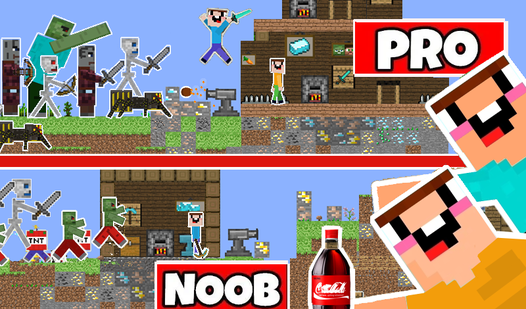
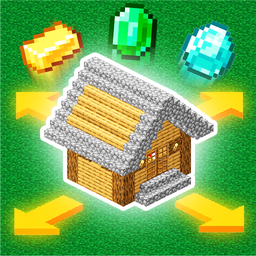
- Pixelated Management: The art style keeps things clean. You focus on building houses without visual noise distracting you from the core layout.
- Villager Satiety: Keep their hunger bar green. If it drops too low, your production speed tanks and you lose precious time.
- Quick Mini-games: Hit G when you need a break from the grind. They provide a nice change of pace from building.
- Resource Crafting: Turning raw logs into furniture is the key to growth. You have to balance your inventory space constantly.
How to Play
Mine: Village Simulator: Initial Setup
Your first step is mastering the Mine: Village Simulator controls. Use WASD to move the camera and keep an eye on your inventory with E. Get your housing plot down early, because those villagers get grumpy fast. Beginners often try to hoard raw materials instead of building, which is a massive mistake.
Managing needs in Mine: Village Simulator
Checking satiety with H is how to play Mine: Village Simulator effectively. If you ignore their hunger, the whole village stalls out. Use the R key to craft meals from your gathered loot. It feels a bit clunky at first, but you get the hang of the rhythm once you start automating production.
Who Should Play Mine: Village Simulator?
Frequently Asked Questions about Mine: Village Simulator
Can I play Mine: Village Simulator on my phone?
Yes, it works on mobile devices without any issues. The touch controls map well to the standard movement, though the inventory menus can be a little fiddly on tiny screens.
How do you check villager hunger in Mine: Village Simulator?
Press the H key to open the satiety menu. You need to keep these levels topped off by crafting food if you want your village to stay productive.
What games are similar to Mine: Village Simulator?
If you enjoy this, check out Mine - Online for a similar aesthetic. For something totally different but still about building, try Build a Waterslide.
Is Mine: Village Simulator free to play?
Yes, Mine: Village Simulator is completely free to play on Nub Games. There are no in-app purchases. No download or registration required.
Can I play Mine: Village Simulator on mobile?
Mine: Village Simulator works on both desktop and mobile devices. Best played in landscape mode.
What age rating is Mine: Village Simulator?
The catalog age rating for Mine: Village Simulator is 0+.