









Key Features
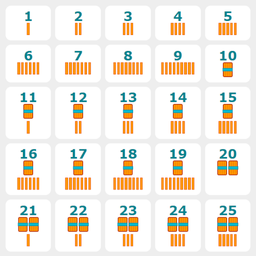
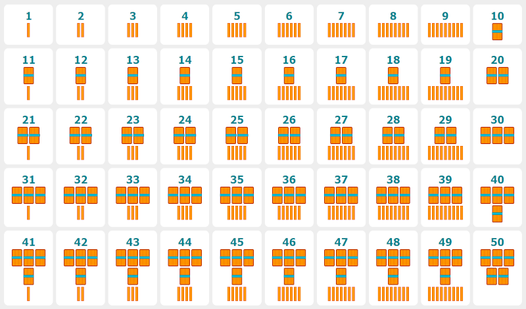
- Visual Counting: Every problem includes physical sticks on screen. You see exactly what the math represents instead of guessing abstract digits.
- Adaptive Scaling: The difficulty climbs as your score grows. It pushes you to think faster once you nail the basic patterns.
- Audio Support: Numbers are voiced out loud when you click them. It helps verify your choices without needing to read constantly.
- Language Toggle: Switch the interface language on the fly. It keeps the UI clean regardless of which region you are in.
How to Play
Learning to Count: Sticks: Master the controls
Learning to Count: Sticks controls rely entirely on simple clicks. Tap the correct answer below the equation to lock it in. Using the mouse or your touchscreen works perfectly. Watch out for the subtraction problems, as they tend to trip people up more than the addition ones.
How to play Learning to Count: Sticks efficiently
First, you need to learn how to play Learning to Count: Sticks by using the hint button. The question mark icon reveals a cheat sheet if you get stuck. Just remember that clicking the numbers triggers an audio cue. Don't panic if the game starts speeding up; keep your cool.
Who Should Play Learning to Count: Sticks?
Frequently Asked Questions about Learning to Count: Sticks
Can I play Learning to Count: Sticks on my phone?
Yes, it works on mobile browsers without any issues. You just tap the answer buttons on your touchscreen just like you would click them on a desktop computer.
What are the controls for Learning to Count: Sticks?
Learning to Count: Sticks controls are simple point-and-click actions. You select the numbers or the answer options using your mouse or finger to solve the arithmetic problems on screen.
What games are similar to Learning to Count: Sticks?
If you like simple brain teasers, check out Very Heavy Things for logic puzzles or Sprunki: Find All Characters for a different kind of visual challenge.
Is Learning to Count: Sticks free to play?
Yes, Learning to Count: Sticks is completely free to play on Nub Games. There are no in-app purchases. No download or registration required.
Can I play Learning to Count: Sticks on mobile?
Learning to Count: Sticks works on both desktop and mobile devices. Best played in portrait mode.
What age rating is Learning to Count: Sticks?
Learning to Count: Sticks has a content rating of 6++. It is suitable for all ages.