











Key Features
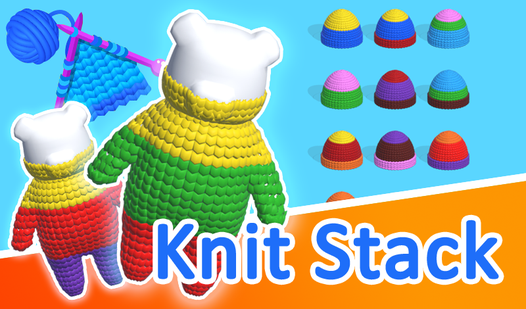
- Color Logic: Sorting fabrics forces you to plan two steps ahead. One wrong click creates a massive pileup.
- Store Upgrades: Spend rewards on new materials. They change the look of the stacks completely.
- Level Scaling: Early rounds are a breeze, but the difficulty spikes once the colors start overlapping.
- Visual Clarity: The 3D textures look crisp, helping you distinguish between similar shades during intense rounds.
How to Play
Mastering the Knit Stack basics
Use your mouse or tap the screen to grab the fabric layers. You need to organize them by color to clear the board. Learning how to play Knit Stack involves identifying the bottom-most color first. If you try to move faster than your brain can process, you will lose your spot.
Knit Stack controls and strategy
The Knit Stack controls are simple, but the sorting gets chaotic. A common mistake is clicking too quickly, which ruins your color order and resets your progress. Use the tools provided when the stack grows too tall. Later levels introduce complex patterns that make simple sorting feel like a total nightmare.
Who Should Play Knit Stack?
Frequently Asked Questions about Knit Stack
Can I play Knit Stack on my phone?
Yes, it works fine on mobile browsers. You just need a stable connection to keep the game running smoothly without any lag during your sorting sessions.
How do you clear levels faster in Knit Stack?
You should use the available tools to skip the tedious sorting when the board gets crowded. These power-ups help you clear the screen before you run out of moves.
Is Knit Stack free to play?
Yes, Knit Stack is completely free to play on Nub Games. There are no in-app purchases. No download or registration required.
Can I play Knit Stack on mobile?
Knit Stack works on both desktop and mobile devices. Best played in portrait mode.
What age rating is Knit Stack?
The catalog age rating for Knit Stack is 6+.