



Key Features
- Snappy shapes: Pieces snap into place when you get close enough. It saves you from having to be pixel-perfect every time.
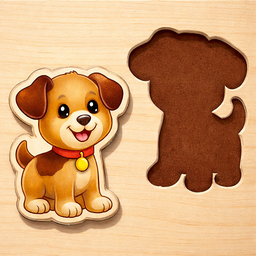
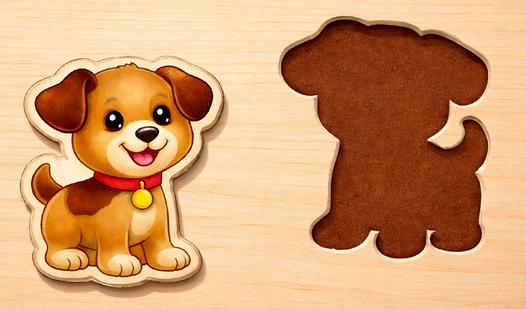
- Visual cues: The silhouettes act as a guide for where things go. If you are stuck, just look for the matching curves.
- Toy variety: You get a bunch of categories to cycle through. It keeps the visual boredom away.
- Clean UI: The menu is stripped back to essentials. You won't get lost in a mess of settings or random buttons.
How to Play
How to play Kids Puzzles for Toddlers
First, pick a category from the menu. You just need to look at the central gray shadow and find the matching toy. Use your mouse or tap the screen to drag the piece into the correct spot. The Kids Puzzles for Toddlers controls are simple, but don't rush or you'll drop the item in the wrong place.
Kids Puzzles for Toddlers: The big mistake
Most players try to cram the piece in before the outline is fully visible. Stop and wait for the shape to settle. If you move too fast, the game might not register that you are in the right spot. It gets a bit finicky on smaller screens, so be patient.
Who Should Play Kids Puzzles for Toddlers?
Frequently Asked Questions about Kids Puzzles for Toddlers
Can I play Kids Puzzles for Toddlers on my phone?
Yes, it works fine on mobile devices. You just tap and drag the toys instead of using a mouse cursor.
What are the controls for Kids Puzzles for Toddlers?
You use a single pointer to grab and move items. There are no complex keybinds, just click, hold, and release on the target.
Is Kids Puzzles for Toddlers free to play?
Yes, Kids Puzzles for Toddlers is completely free to play on Nub Games. There are no in-app purchases. No download or registration required.
Can I play Kids Puzzles for Toddlers on mobile?
Kids Puzzles for Toddlers works on both desktop and mobile devices. Best played in landscape mode.
What age rating is Kids Puzzles for Toddlers?
The catalog age rating for Kids Puzzles for Toddlers is 0+.