

















Key Features
- Unlimited Undo: Take back any move as many times as you like. This helps you recover if you make a mistake.
- Shake Hint: Use this if you get stuck. It points out the next sensible move on the shelf.
- Visual Accessibility: Berries differ by shape and colour. This ensures they remain easy to distinguish for people with reduced colour vision.
- Daily Challenge: Every day brings a new Jar of the Day. It features a fresh layout to solve.
How to Play
How to play Jam Jars
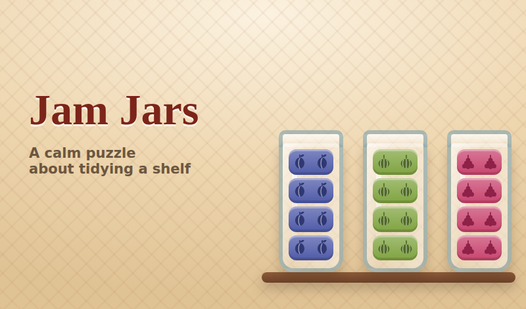
Tap the jar you want to take berries from so it lifts up. Then tap the destination jar to pour. Berries move only if the receiving jar is empty or holds the same type on top. Learning how to play Jam Jars involves watching the top layer carefully to avoid getting blocked.
Managing Jam Jars obstacles
Some jars are cracked and hold one less layer of fruit. Others hide under a lid that requires a single tap to open. If you face a finished jar under a cloth cover, leave it alone. These items change your strategy for every shelf layout you encounter.
Who Should Play Jam Jars?
Frequently Asked Questions about Jam Jars
How many levels does Jam Jars have?
The game features 60 levels spread across four distinct chapters. These include Grandma's Cellar, Country Pantry, Market Row, and Winter Stores.
Can I play Jam Jars on my phone?
Yes, the game is supported on both desktop and mobile devices. It includes large buttons and one-tap controls for comfortable play on any screen size.
What are the Jam Jars controls?
You use simple one-tap controls to interact with the game. Tap a jar to lift it, then tap another to pour berries into it.
Is Jam Jars free to play?
Yes, Jam Jars is free to play on Nub Games. No download or registration required.
What age rating is Jam Jars?
The catalog age rating for Jam Jars is 0+.