












Key Features
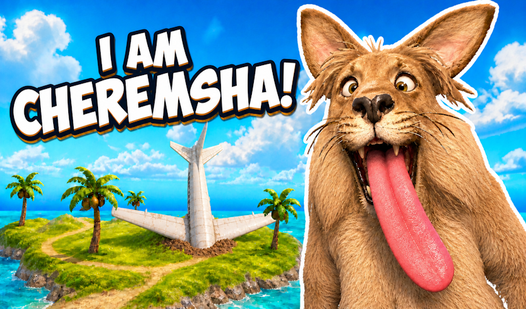
- Tongue interaction: The right mouse button activates your tongue. It provides a unique way to manipulate the island objects.
- Zooming vision: The middle mouse button allows for a closer look at the terrain. It helps reveal hidden treasures.
- Swift movement: Use the left shift key to run. This lets you outpace the inhabitants during your mission.
How to Play
I Am Cheremsha!: Mastering Movement
Use the WASD keys to navigate the island. Movement is vital because you need to reach treasure locations while dodging the mysterious inhabitants. Learning how to play I Am Cheremsha! starts with steady navigation. If you move carelessly, you will find yourself trapped by the environment.
Using I Am Cheremsha! controls for combat
Left click to hit threats that stand in your path. You must time these strikes carefully to keep your distance. The I Am Cheremsha! controls also include a right click to use your tongue. This mechanic allows you to interact with the world in specific ways.
I Am Cheremsha!: Exploration tactics
Press the middle mouse button to zoom in on your surroundings. This helps you spot hidden treasure from a distance. Use the space bar to jump over obstacles that block your path. Running with the left shift key ensures you can escape danger quickly when things get tight.
Who Should Play I Am Cheremsha!?
Frequently Asked Questions about I Am Cheremsha!
What are the controls for I Am Cheremsha!?
You move with WASD and jump using the space bar. Use the mouse buttons to hit, use your tongue, or zoom in on the environment.
Can I play I Am Cheremsha! on my phone?
Yes, I Am Cheremsha! is supported on both desktop and mobile platforms. You can start your mission on any of these devices.
Is I Am Cheremsha! free to play?
Yes, I Am Cheremsha! is free to play on Nub Games. No download or registration required.
What age rating is I Am Cheremsha!?
The catalog age rating for I Am Cheremsha! is 12+.