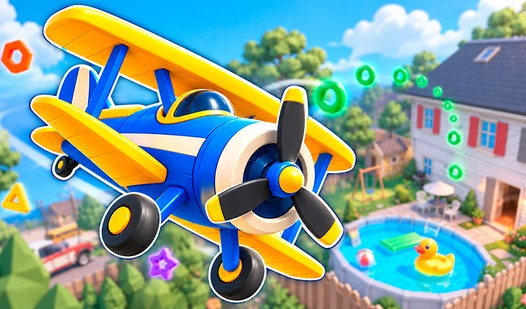

















Key Features
- Exploration: Navigate through the garage, kitchen, bathroom, kids' room, and other areas.
- Resource management: Monitor your fuel levels and collect gold to pay for upgrades and access new areas.
- Trophy collection: Locate and collect trophies that appear once you have opened more of the house.
How to Play
Flight controls
On a computer, hold the mouse button and drag to fly, or use WASD and arrow keys to turn and change pitch. On mobile, steer using the on-screen stick.
Adjusting speed
Use keys 1, 2, and 3 on a computer to switch speed. On mobile, use the slider to adjust speed.
Collecting and opening gates
Fly through resources and coins to collect them. To open a gate, aim at it and wait for the plane to send the required resources.
Upgrading
After a crash, spend gold on the upgrade screen to improve your fuel tank, speed, or income.
Who Should Play Home Pilot?
Frequently Asked Questions about Home Pilot
What happens if I crash?
You do not lose access to rooms you have already opened. You can spend gold on the upgrade screen to improve your plane before taking off again.
How do I collect trophies?
You must first shoot the trophy and then fly into it to pick it up.
Can I switch the control side on mobile?
Yes, use the button at the bottom center of the screen to swap the side the controls are on.
Is Home Pilot free to play?
Yes, Home Pilot is free to play on Nub Games. No download or registration required.
Can I play Home Pilot on mobile?
Home Pilot works on both desktop and mobile devices. Best played in landscape mode.
What age rating is Home Pilot?
The catalog age rating for Home Pilot is 6+.