












Key Features
- Unforgiving terrain: Mud, sand, and snow behave differently under your wheels. You have to adapt your throttle control or you'll get stuck.
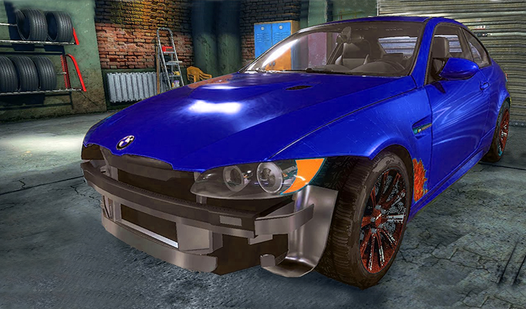
- Custom tuning: Swap out parts to suit specific tracks. A light frame helps with jumps, but heavy tires are mandatory for mud.
- Physics-based madness: Every bump sends your vehicle flying. Getting the landing right is the only way to maintain momentum toward the goal.
- Brutal difficulty: The fifteenth level is an absolute nightmare. Expect to restart that one until your eyes blur.
How to Play
Hill Travel 3D: Mastering the basics
Use WASD or tap the screen to balance your vehicle. The Hill Travel 3D controls feel a bit floaty at first, so don't floor it on loose sand unless you want to flip. Once you learn how to play Hill Travel 3D, keeping your tires grounded becomes second nature.
Upgrading for Hill Travel 3D
Spend your hard-earned cash on engine and tire upgrades between runs. You’ll definitely need the extra torque to clear those steep, snowy peaks in later stages. Stop trying to force the stock truck up every hill. It just won’t happen. Save up for the heavy-duty gear to actually progress.
Who Should Play Hill Travel 3D?
Frequently Asked Questions about Hill Travel 3D
How many levels does Hill Travel 3D have?
You have to conquer 15 distinct levels to beat the game. Each one introduces harsher weather and steeper slopes that demand better vehicle tuning.
Can I play Hill Travel 3D on my phone?
Yes, it works on mobile browsers without any extra software. The touch controls are responsive enough for those tricky, high-angle climbs.
Is Hill Travel 3D free to play?
Yes, Hill Travel 3D is completely free to play on Nub Games. Optional in-app purchases are available. No download or registration required.
Can I play Hill Travel 3D on mobile?
Hill Travel 3D works on both desktop and mobile devices. Best played in landscape mode.
What age rating is Hill Travel 3D?
The catalog age rating for Hill Travel 3D is 6+.