






Key Features
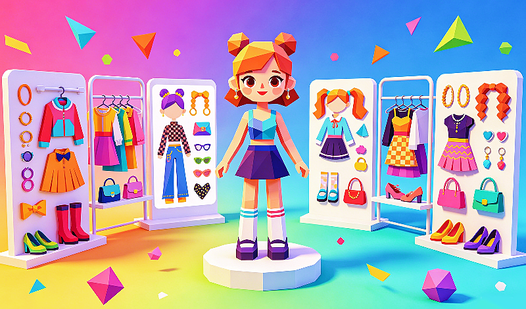
- Layering logic: Items stack based on your selection order. Keep an eye on the sequence or your shirt might hide your necklace.
- Color sliders: Tweak every shade to match your vision. It feels like painting.
- Style presets: Grab a base look if you get stuck.
- High-res assets: Every piece looks crisp, even when you zoom in on the accessories.
How to Play
Glam Lab: Mastering the interface
Use your mouse or tap the screen to navigate the Glam Lab controls. Select categories from the menu to swap items. You click to equip, but watch the layering. If you overlap too many accessories, the screen gets cluttered fast. That is how to play Glam Lab without losing your mind.
Glam Lab: The common color trap
Avoid picking every single bright color at once. You might think more is better, but the result often looks like a fashion disaster. Balance your palette for the best finish. Save your favorite looks once you nail the color theory. The later combinations get tricky.
Who Should Play Glam Lab?
Frequently Asked Questions about Glam Lab
Can I play Glam Lab on my phone?
Yes, it works perfectly on mobile devices. You just need a stable connection to load the assets directly in your mobile browser without installing an app.
How do you save outfits in Glam Lab?
You cannot save files locally, but you can take a screenshot of your final look. Use the print screen key or your phone's capture shortcut to keep your best work.
Is Glam Lab free to play?
Yes, Glam Lab is completely free to play on Nub Games. There are no in-app purchases. No download or registration required.
Can I play Glam Lab on mobile?
Glam Lab works on both desktop and mobile devices. Best played in portrait mode.
What age rating is Glam Lab?
The catalog age rating for Glam Lab is 12+.