






Key Features
- Strict Scoring: The game grades every stroke with cold, hard percentages. You will quickly learn that a slightly shaky hand ruins your run.
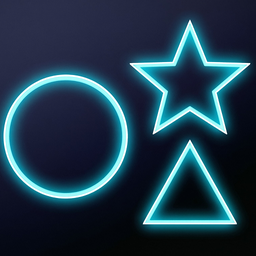
- Arcade Pressure: The clock forces you to draw faster. You lose time if you hesitate too long on the more complex geometric figures.
- Practice Mode: Use this to warm up your muscles. It is free of timers so you can perfect those tricky star shapes.
- Stat Tracking: Your high scores get saved locally. You can see your progress as you sharpen your painting skills over time.
How to Play
Geometrika: Starting your run
Select Arcade mode to begin your 10-level challenge. You need to move your mouse cursor across the white drawing area without lifting the button. The Geometrika controls rely entirely on your ability to track the dotted outline while keeping your hand steady. Just keep your movements fluid.
Mastering Geometrika shapes
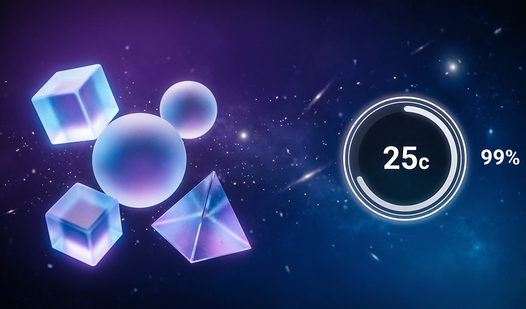
This is how to play Geometrika effectively. Aim for the reference lines, then hit the check button to see your percentage. You earn five extra seconds if you break the 80% mark. Watch out, though. The mouse sensitivity feels a bit twitchy when you are trying to draw sharp corners.
Who Should Play Geometrika?
Frequently Asked Questions about Geometrika
How many levels does Geometrika have?
The main arcade mode consists of 10 levels that progressively get harder as the shapes become more complex. You have to be quick to finish them all.
Can I play Geometrika on my phone?
This game is built for desktop users with a mouse. It is almost impossible to get a high score on a phone because the touchscreen lacks the necessary cursor accuracy.
Is Geometrika free to play?
Yes, Geometrika is completely free to play on Nub Games. There are no in-app purchases. No download or registration required.
Can I play Geometrika on mobile?
Geometrika is currently available on desktop only. Best played in portrait mode.
What age rating is Geometrika?
Geometrika has a content rating of 0++. It is suitable for all ages.