








Key Features
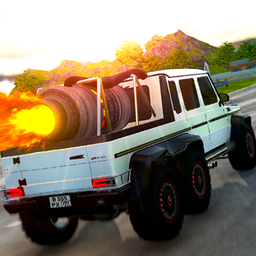
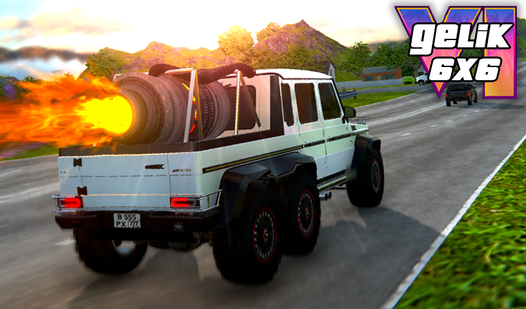
- Six-wheel physics: The extra wheels change your grip on uneven terrain. You feel the weight shift during sharp turns.
- Space tracks: Driving a massive truck through zero-g environments feels wrong in the best way. It changes every jump.
- Quick repairs: F-key repairs mean you stay moving after a crash. You spend less time waiting and more time driving.
- Turbo jumps: Boosting off ramps clears massive gaps. Just try not to overshoot the landing zone or you're toast.
How to Play
Mastering the Gelik 6x6 controls
Use WASD or arrow keys to steer your behemoth. You'll need to tap E for turbo boosts on long jumps, but don't hold it down unless you want to fly off the map. Knowing the Gelik 6x6 controls is how you survive the first few tracks without falling into the void.
Gelik 6x6: Handling the momentum
The biggest mistake is over-steering on the narrow edges. Since this is how to play Gelik 6x6 properly, keep your adjustments small. If you smash into a wall, just hit F to repair. It saves your run when the physics engine decides to get twitchy and toss you into orbit.
Who Should Play Gelik 6x6?
Frequently Asked Questions about Gelik 6x6
Can I play Gelik 6x6 on my phone?
Yes, it runs on mobile browsers just as well as on a computer. The touch controls are responsive enough for casual runs through the obstacle courses.
What are the controls for Gelik 6x6?
Use WASD or arrows to drive, Space for the handbrake, and the E key to engage your turbo. Press F to instantly repair your vehicle after a bad crash.
Is Gelik 6x6 free to play?
Yes, Gelik 6x6 is completely free to play on Nub Games. There are no in-app purchases. No download or registration required.
Can I play Gelik 6x6 on mobile?
Gelik 6x6 works on both desktop and mobile devices. Best played in none mode.
What age rating is Gelik 6x6?
The catalog age rating for Gelik 6x6 is 6+.