

Key Features
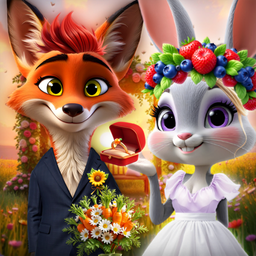
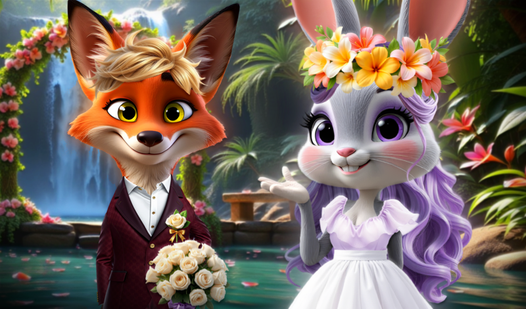
- Color Matching: Tweak the shades to ensure the fox and bunny don't look like a chaotic mess.
- Accessory Overload: Stack ties and tiaras to see how much clutter you can fit on one screen before it gets weird.
- High-Res Screenshots: Capture your best work. It saves a PNG file directly to your device for proof of your styling skills.
- Character Variety: Switch between the fox and the bunny to balance their individual vibes.
How to Play
Furry Wedding Proposal: Mastering the basics
Use your mouse or touchscreen to select items from the sidebar. You need to pick a base outfit before you can layer on the accessories. The Furry Wedding Proposal controls are simple, but don't click too fast or you’ll skip right past the best veil options.
Styling the couple in Furry Wedding Proposal
Once the clothes are sorted, it is time to hit the makeup chair. This is how to play Furry Wedding Proposal if you want a cohesive look. Coordinate their colors so they don't clash on the big day. Most players forget to save their favorite screenshot before exiting the screen.
Who Should Play Furry Wedding Proposal?
Frequently Asked Questions about Furry Wedding Proposal
Can I play Furry Wedding Proposal on my phone?
Yes, it runs perfectly on mobile browsers. You just tap the screen to swap outfits or apply makeup instead of using a mouse.
How do you save your look in Furry Wedding Proposal?
Look for the camera icon on the screen. Clicking it triggers a download prompt that saves your final creation as a PNG file on your device.
Is Furry Wedding Proposal free to play?
Yes, Furry Wedding Proposal is completely free to play on Nub Games. There are no in-app purchases. No download or registration required.
Can I play Furry Wedding Proposal on mobile?
Furry Wedding Proposal works on both desktop and mobile devices. Best played in landscape mode.
What age rating is Furry Wedding Proposal?
Furry Wedding Proposal has a content rating of 6++. It is suitable for all ages.