

















Key Features
- Automated Care: Upgrade your equipment to handle watering and lighting tasks. This allows you to scale your garden operations without constant manual input.
- Market Economy: Sell your harvest at changing market prices. Timing your sales correctly helps you maximize profits for your business.
- Kitchen Recipes: Cook food using your crops. These recipes provide more ways to utilize your harvest.
How to Play
FloraGochi: Managing plant needs
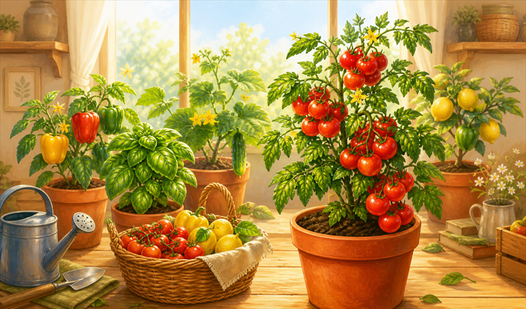
Select a pot to open the care panel. You must keep moisture and nutrition in the comfortable range to ensure growth. If growth stops, check the message below the pot to identify the specific deficiency. This is how to play FloraGochi effectively by monitoring individual plant health indicators.
Expanding your FloraGochi empire
Use the bottom menu to travel between the kitchen, shop, and garage. You can cook recipes or fulfill orders to earn money. Upgrading your equipment and expanding storage allows you to handle more crops at once. FloraGochi controls rely on mouse or touchscreen inputs to navigate these menus.
Who Should Play FloraGochi?
Frequently Asked Questions about FloraGochi
Can I play FloraGochi on my phone?
Yes, this game supports mobile devices. You can use your touchscreen to plant seeds, manage your garden, and interact with the game menus just like on a desktop.
How do I deal with pests in FloraGochi?
Pests will appear on your plants as you grow your garden. You can remove them by selecting them directly, which keeps your plants healthy and ensures they continue to grow.
Is FloraGochi free to play?
Yes, FloraGochi is free to play on Nub Games. No download or registration required.
What age rating is FloraGochi?
The catalog age rating for FloraGochi is 6+.