

















Key Features
- Dual Game Modes: Word of the Day provides a single shared challenge for everyone. Endless mode lets you continue guessing words for as long as you like.
- Automatic Tracking: The game records your win rate and streaks. You can copy your results to your clipboard to share them with friends.
- Optional Hints: Stuck on a difficult word. You can tap the hint button to reveal one letter, with two hints available per game.
How to Play
Five Letters: How to make a guess
Type any five-letter word using your keyboard and press Enter. The game checks if the word exists in the dictionary. If the row shakes, the word is unrecognized and you must clear it with the backspace key to try again. This is how to play Five Letters.
Five Letters: Interpreting tile colors
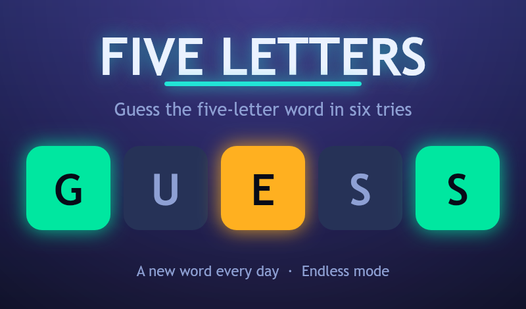
Tiles change color to guide your next move. Green signifies the correct letter in the right spot. Yellow means the letter belongs in the word but is currently misplaced. Gray indicates the letter is not present at all. Use these clues to narrow down the remaining possibilities for Five Letters.
Who Should Play Five Letters?
Frequently Asked Questions about Five Letters
Can I play Five Letters on my phone?
Yes, the game is fully supported on mobile devices. You can use the on-screen keyboard to enter your guesses just like you would on a computer.
How do you reveal a letter in Five Letters?
If you are stuck, tap the hint button on the screen to reveal one letter. You are limited to two hints per game session.
What are the controls for Five Letters?
Type words using your physical or on-screen keyboard. Press Enter to submit your guess, or use the backspace key to delete letters when you make a mistake.
Is Five Letters free to play?
Yes, Five Letters is free to play on Nub Games. No download or registration required.
What age rating is Five Letters?
The catalog age rating for Five Letters is 6+.