








Key Features
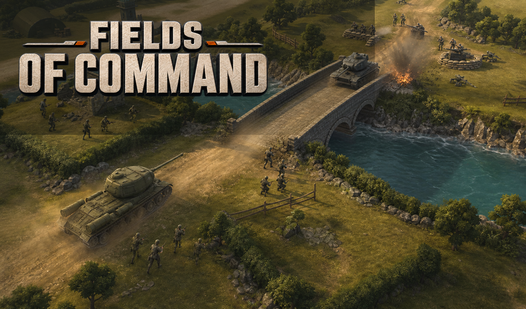
- Tactical combat: Combine infantry, crew weapons, and armor to fight for control of the battlefield.
- Battlefields: Engage the AI on two maps including a tropical airfield and a river province with six bridges.
- Strategic gameplay: Victory depends on reading the terrain, holding capture points, and shifting the direction of your attack.
How to Play
Starting a match
Select a map, choose between the USSR or Germany, pick a victory condition, and begin the battle.
Commanding units
On desktop, click a squad and then a target or capture point. On mobile, tap a squad and then its target. You can drag a box around multiple squads on desktop or use the command panel buttons on mobile.
Camera controls
Use WASD or arrow keys on desktop to pan, and the mouse wheel to zoom. On mobile, drag with one finger to pan and pinch with two fingers to zoom.
Managing your army
Construct buildings, queue reinforcements, and spend resources to maintain your forces while holding strategic points to achieve victory.
Who Should Play Fields of Command?
Frequently Asked Questions about Fields of Command
Which factions can I play as?
You can choose to play as either the USSR or Germany.
How do I win?
You must hold strategic points and complete the victory condition before your opponent.
Is Fields of Command free to play?
Yes, Fields of Command is free to play on Nub Games. Optional in-app purchases are available. No download or registration required.
Can I play Fields of Command on mobile?
Fields of Command works on both desktop and mobile devices. Best played in landscape mode.
What age rating is Fields of Command?
The catalog age rating for Fields of Command is 12+.