











Key Features
- Gravity pressure: The pace ramps up as you rack up points. You have to think three steps ahead or the screen clutters instantly.
- Tactical power-ups: These save your hide when the grid overflows. They clear space but require a high score to recharge.
- Dual modes: Switch between classic and time-based challenges. The timer mode is brutal.
- Clean visuals: The design keeps the hitbox clear so you see every collision coming.
How to Play
Falling planets: Master the movement
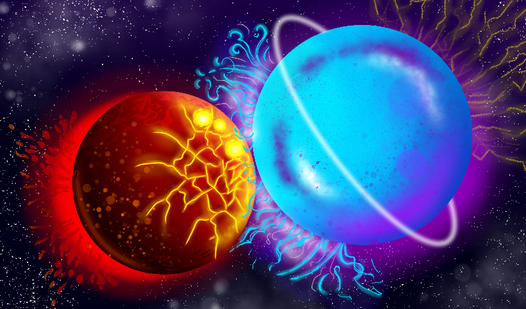
Falling planets controls rely on your mouse or a quick tap to drag objects across the grid. Put them in the right columns to trigger a reaction. Don't crowd the top edge too early or you will lose before you even start building your score.
How to play Falling planets efficiently
Use the power-ups to clear space when things get claustrophobic. Learning how to play Falling planets involves spotting matches before they hit the ceiling. One common mistake is rushing your placements; stop and look at the next piece incoming. The later stages turn into a complete nightmare of speed.
Who Should Play Falling planets?
Frequently Asked Questions about Falling planets
Can I play Falling planets on my phone?
Yes, it works on mobile browsers without any issues. Just tap to drag and drop your celestial bodies into position just like you would on a desktop.
How do you trigger power-ups in Falling planets?
Tap or click the specific power-up icon once it glows on your screen. It will instantly clear a chunk of junk, giving you space to breathe.
Is Falling planets free to play?
Yes, Falling planets is completely free to play on Nub Games. There are no in-app purchases. No download or registration required.
Can I play Falling planets on mobile?
Falling planets works on both desktop and mobile devices. Best played in portrait mode.
What age rating is Falling planets?
The catalog age rating for Falling planets is 6+.