











Key Features
- Minimalist visual style: The clean aesthetic keeps the screen uncluttered. You can actually see where you're landing instead of fighting messy textures.
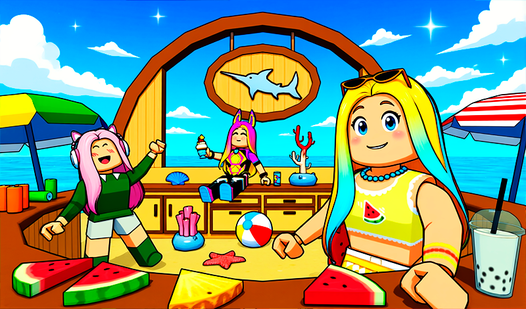
- Chill end-zone: The reward for finishing is a quiet place to hang out. It feels good to just breathe after a stressful sprint.
- Tight jump windows: The game demands perfect timing on later stages. One bad hop sends you back to the start of the section.
- Inventory utility: You have to juggle items to clear specific gates. It adds a layer of thought to your movement.
How to Play
Mastering Aesthetic Obby movement
Use WASD or the left joystick to navigate the course. You need to learn how to play Aesthetic Obby by finding your rhythm on the floating platforms. A common mistake is holding down the jump button too long. Stop doing that. You will overshoot your landing and fall every single time.
Using Aesthetic Obby controls
Access the Aesthetic Obby controls via your mouse or the on-screen menu for interaction. Once you reach the mid-game, you will encounter items you must pick up. Using these correctly is essential for progression. The camera can get a bit jittery in tight corners, so watch your angles.
Who Should Play Aesthetic Obby?
Frequently Asked Questions about Aesthetic Obby
Can I play Aesthetic Obby on my phone?
Yes, it works on mobile devices as well as desktop. Just use the touch-based joystick and buttons to navigate the course without losing your progress.
What are the controls for Aesthetic Obby?
On PC, use WASD for movement and the mouse for rotation. If you are on a phone, use the on-screen joystick and swipe gestures to look around.
Is Aesthetic Obby free to play?
Yes, Aesthetic Obby is completely free to play on Nub Games. There are no in-app purchases. No download or registration required.
Can I play Aesthetic Obby on mobile?
Aesthetic Obby works on both desktop and mobile devices. Best played in landscape mode.
What age rating is Aesthetic Obby?
The catalog age rating for Aesthetic Obby is 6+.