






Key Features
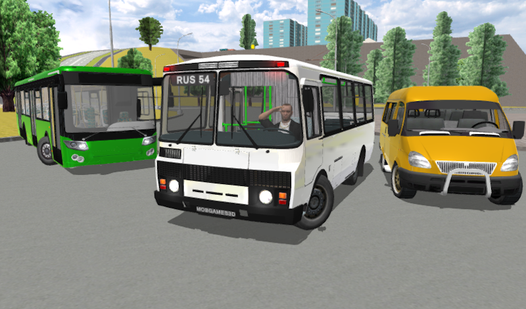
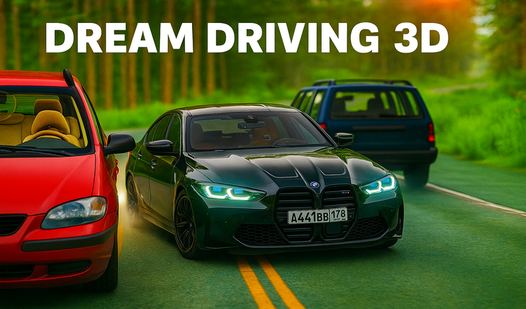
- First-Person Chaos: Switching to the cockpit view makes every near-miss feel personal. You’ll see the dash vibrate as you redline the engine.
- Aggressive Police AI: Authorities don't just follow you. They actively try to pit maneuver your ride into the nearest concrete barrier.
- Traffic Density: The city streets are packed. You have to weave between civilian cars while maintaining top speed.
- Customizable Showroom: Spend your winnings on new paint jobs. It’s the only way to look good while wrecking your bumper.
How to Play
Mastering Dream Driving 3D controls
Use the WASD keys to steer and accelerate. You’ll need to hit Space for the handbrake when taking sharp corners. If you don't feather that brake, you’ll end up embedded in a fence instead of drifting. That’s the core of how to play Dream Driving 3D.
Surviving the Dream Driving 3D streets
Keep an eye on your nitro meter with the F key. It is tempting to burn it all on the first straightaway, but save it for escaping those persistent police chases. Just watch out for the traffic AI. The cars in this game have a habit of swerving into your lane unexpectedly.
Who Should Play Dream Driving 3D?
Frequently Asked Questions about Dream Driving 3D
Can I play Dream Driving 3D on my phone?
Yes, you can access the game on your mobile browser. The touch controls are responsive enough to handle a quick chase while you're on the go.
How do you use the emergency signal in Dream Driving 3D?
Just press the Z key while driving. It doesn't actually help you get away from the cops, but it’s a fun way to signal your frustration.
Is Dream Driving 3D free to play?
Yes, Dream Driving 3D is completely free to play on Nub Games. There are no in-app purchases. No download or registration required.
Can I play Dream Driving 3D on mobile?
Dream Driving 3D works on both desktop and mobile devices. Best played in landscape mode.
What age rating is Dream Driving 3D?
The catalog age rating for Dream Driving 3D is 6+.