











Key Features
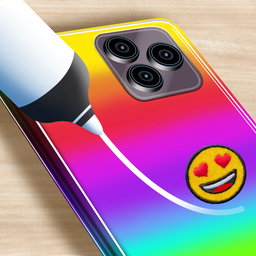
- Coloring Freedom: Pick any hue you want. You are not locked into pre-set palettes, which lets you match your real-life style.
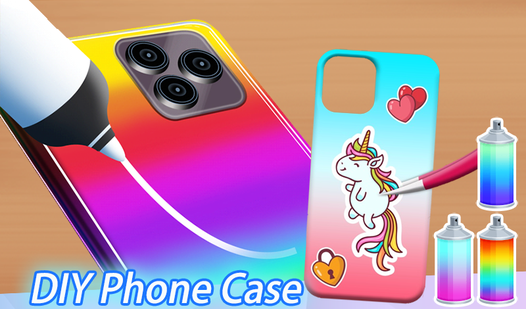
- Charm Placement: Drag and drop decorations anywhere on the back panel. The physics can get a bit janky if you stack too many items.
- Creative [3d](/tag/3d) Models: Rotate the case to check your work from every angle. It helps you catch spots you missed during the initial spray.
- Infinite Variety: There are no grades or win states here. You just keep making new designs until you run out of ideas.
How to Play
Diy Phone Case: First Steps
To start, use your mouse to pick a blank case mold. The Diy Phone Case controls are simple; just click the tool you want and drag it across the screen. Most players mess up early by rushing the paint job before the base layer dries. Slow down, you need to be precise.
Mastering Diy Phone Case Details
Once the color is set, you choose stickers and charms to finalize the look. This is how to play Diy Phone Case if you want the best results. Don't worry about perfect alignment, as the game is pretty forgiving. Just have fun with it, because there is no score to chase.
Who Should Play Diy Phone Case?
Frequently Asked Questions about Diy Phone Case
Can I play Diy Phone Case on my phone?
Yes, you can easily tap your way through the designs on any mobile browser. It works just as well on a touchscreen as it does on a desktop.
How do you apply stickers in Diy Phone Case?
You select the sticker tool from the menu and then drag your finger or mouse cursor directly onto the case. Place them wherever you think they look best.
Is Diy Phone Case free to play?
Yes, Diy Phone Case is completely free to play on Nub Games. There are no in-app purchases. No download or registration required.
Can I play Diy Phone Case on mobile?
Diy Phone Case works on both desktop and mobile devices. Best played in portrait mode.
What age rating is Diy Phone Case?
The catalog age rating for Diy Phone Case is 6+.