











Key Features
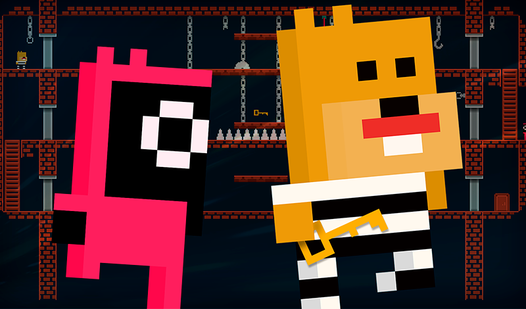
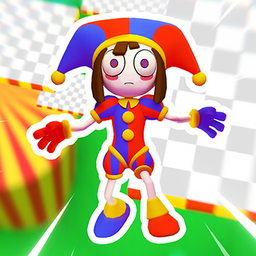
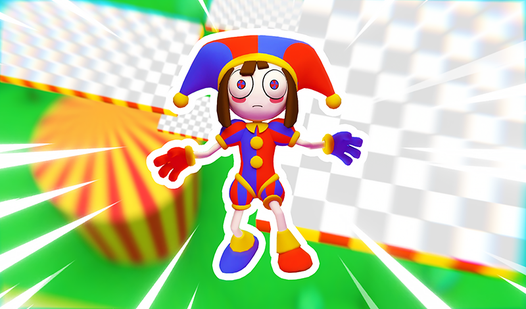
- Circus Visuals: The bright, saturated colors make the death traps look like candy. You’ll almost forget you’re falling into a pixelated void.
- Character Roster: Pick your favorite circus performer. The hitboxes feel consistent regardless of which skin you choose.
- Global Leaderboards: Seeing your name climb the ranks is the only thing that kept me from rage-quitting during the final jumps.
- Platform Challenges: Each section introduces a new way to knock you off the map. Expect moving platforms that require perfect timing.
How to Play
Digital parkour: Obby: Mastering the basics
To learn how to play Digital parkour: Obby, just use WASD to move and Space to jump. On mobile, swap those for the on-screen sticks and the jump button. Keep your fingers ready, because the Digital parkour: Obby controls require quick reflexes to survive the tighter corridors.
Digital parkour: Obby: Avoiding common pitfalls
Don't hold down the jump button for too long. You’ll overshoot the platforms if you aren't careful. A common mistake is sprinting blindly into new sections. Take a second to look at the geometry before you commit to a leap, or you’ll just respawn at the start.
What follows Digital parkour: Obby level one?
Once you clear the initial circus floor, prepare for sudden shifts in gravity. The later stages turn into a complete nightmare of disappearing tiles. It’s frustrating when you clip through a floor, but that’s the price of admission for this parkour chaos.
Who Should Play Digital parkour: Obby?
Frequently Asked Questions about Digital parkour: Obby
Can I play Digital parkour: Obby on my phone?
Yes, it works fine on mobile devices. Just use the touch controls on your screen to move and jump.
What are the controls for Digital parkour: Obby?
On PC, use WASD for movement and Space for jumping. If you’re playing on mobile, use the left stick to move and the button in the corner to jump.
What games are similar to Digital parkour: Obby?
If you want more, try Obby but You're on a Bike for a speed boost or Hunt for Brainrots: Online for a shift in intensity.
Is Digital parkour: Obby free to play?
Yes, Digital parkour: Obby is completely free to play on Nub Games. There are no in-app purchases. No download or registration required.
Can I play Digital parkour: Obby on mobile?
Digital parkour: Obby works on both desktop and mobile devices. Best played in landscape mode.
What age rating is Digital parkour: Obby?
The catalog age rating for Digital parkour: Obby is 6+.