
Key Features
- Fever Mode: Clear four lines back-to-back to trigger this. Your score multipliers skyrocket for twenty seconds of pure chaos.
- Bomb Clearance: Drop a bomb to clear a three-by-three area. It saves your run when you are completely cornered.
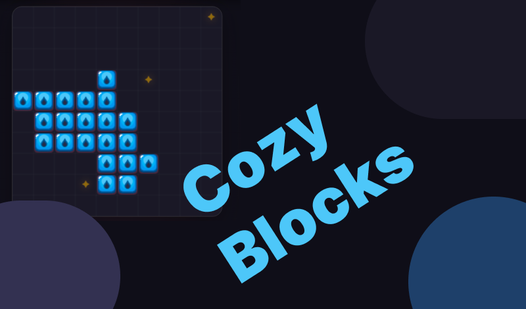
- Star Collection: Cover these grid icons to earn coins. Use them in the shop to buy new skins.
- Undo Button: You get three free undos per game. Use them wisely because the game turns cruel once they vanish.
How to Play
Cozy Blocks: Mastering the grid
Use your mouse or tap the screen to drag shapes into position. You need to fill entire rows or columns to wipe them off the board. It is the best way to keep your space open. Don't waste your moves early or you'll regret it when the grid gets crowded.
How to play Cozy Blocks with strategy
Once you learn how to play Cozy Blocks, keep an eye on the hold slot. Saving a piece for later is a lifesaver when you need a specific shape to finish a row. The Cozy Blocks controls are simple, but the later levels turn into a massive headache if you ignore those stars.
Who Should Play Cozy Blocks?
Frequently Asked Questions about Cozy Blocks
How do you rotate pieces in Cozy Blocks?
Just click the rotate button on the screen to spin your current piece ninety degrees. It is essential for fitting those awkward corners.
What games are similar to Cozy Blocks?
If you enjoy this, try Super PuzzleCraft for building mechanics or Obby: IQ Escape from the Laboratory for a different type of logic challenge.
Is Cozy Blocks free to play?
Yes, Cozy Blocks is completely free to play on Nub Games. There are no in-app purchases. No download or registration required.
Can I play Cozy Blocks on mobile?
Cozy Blocks is currently available on desktop only. Best played in none mode.
What age rating is Cozy Blocks?
Cozy Blocks has a content rating of 6++. It is suitable for all ages.