




Key Features
- Pixel Perfect: The target images are high resolution, meaning you can zoom in if you look closely at your screen.
- Instant Feedback: You get a percentage breakdown after every single round. It shows exactly where you went wrong on your color values.
- Global Leaderboards: Your total score from five rounds hits the board. You can see how your color sense stacks up against other players.
- Strict Calibration: The sliders are sensitive. One tiny nudge ruins your accuracy score entirely, which feels a bit unfair at times.
How to Play
Color Match: Mastering the Sliders
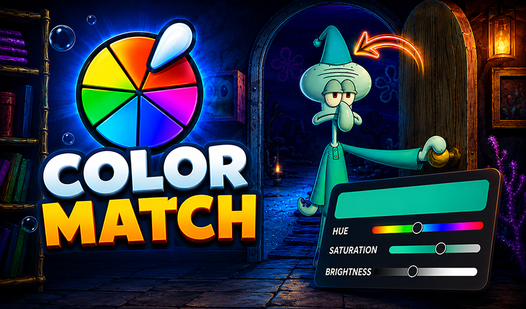
Use your mouse to drag the sliders until the background tint aligns with the target. You have three specific Color Match controls: hue, saturation, and brightness. Adjusting one often ruins the balance of the others. The most common mistake is overshooting the hue when you should be tweaking the saturation instead.
How to play Color Match for points
Submit your guess once you think you have found the perfect match. The game calculates your accuracy as a percentage immediately. You need to learn how to play Color Match quickly because the timer does not wait for you. Later rounds turn into a total nightmare as the shades become nearly identical.
Who Should Play Color Match?
Frequently Asked Questions about Color Match
Can I play Color Match on my phone?
Yes, you can pull this up on your mobile browser without any issues. The sliders work fine with touch controls as long as your thumbs are not too clumsy.
How do you get a high score in Color Match?
Focus on the brightness before you commit to the hue. If you nail the light levels first, the rest of the slider adjustments become much easier to manage.
Is Color Match free to play?
Yes, Color Match is free to play on Nub Games. Optional in-app purchases are available. No download or registration required.
What age rating is Color Match?
The catalog age rating for Color Match is 0+.