











Key Features
- Full Rotation: Spin your model in any direction. You can finally reach those annoying spots hidden behind the character’s cape or hair.
- Personal Gallery: Every finished piece saves to your collection. Look back at your early work to see how your style changed.
- Zoom Lens: Get up close to the textures. You will spot tiny errors that look obvious from a distance.
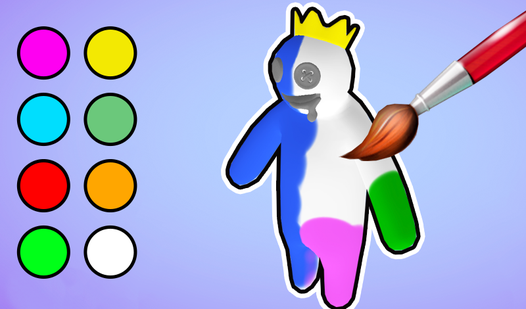
- Deep Palette: Pick from a wide range of colors. You can make your characters look completely ridiculous or surprisingly cool.
How to Play
Mastering Color It in 3D: The Basics
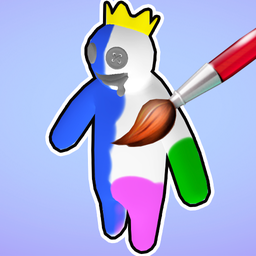
To start, use a long-tap on the object to grab your brush. Color It in 3D controls are simple, relying on swipes to fill in the blank surfaces. Most people try to paint too fast and miss the edges. Slow down your strokes so you do not leave any white spots behind.
How to play Color It in 3D: Navigation
You need to see every angle. Use the arrow buttons to rotate the character, and grab that magnifying glass to zoom into the tiny crevices on the models. If you skip the rotation, you will definitely miss a patch on the back. That is how to play Color It in 3D successfully.
Who Should Play Color It in 3D?
Frequently Asked Questions about Color It in 3D
Can I play Color It in 3D on my phone?
Yes, you can play it on any mobile device with a touch screen. The long-tap and swipe mechanics actually feel better on a phone than they do on a desktop.
What are the controls for Color It in 3D?
You use a long-tap to paint, swipes to move the brush, and the on-screen arrows to rotate your 3D figure. The zoom buttons are located at the bottom of the screen.
Is Color It in 3D free to play?
Yes, Color It in 3D is completely free to play on Nub Games. There are no in-app purchases. No download or registration required.
Can I play Color It in 3D on mobile?
Color It in 3D works on both desktop and mobile devices. Best played in landscape mode.
What age rating is Color It in 3D?
The catalog age rating for Color It in 3D is 12+.