

















Key Features
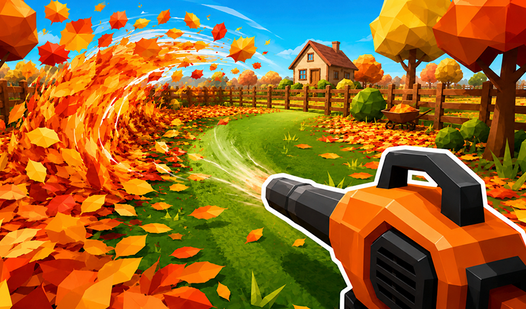
- Versatile gardening tools: Switch between a rake, a heavy pitchfork, and a powerful leaf blower. Each tool helps you manage different pile sizes and clear lanes faster.
- Expanding property sections: Finish cleaning the Front Garden to unlock the Backyard. Every new area is larger and messier than the last.
- Automatic progress saving: Your work is saved automatically. You can switch between your phone and computer without losing any progress.
How to Play
Mastering Clean The Garden controls
Use WASD or arrow keys to walk, then hold the left mouse button to gather leaves. You must carry them to the compost bin to earn coins. This is how to play Clean The Garden if you want to afford better gear for your yard work.
Upgrading in Clean The Garden
Press B to open the shop and spend your hard-earned coins. You should focus on boosting your bag capacity and compost pay first. These upgrades allow you to clear larger areas like the Orchard and the Park Section without constantly running back to the bin.
Who Should Play Clean The Garden?
Frequently Asked Questions about Clean The Garden
How do you switch tools in Clean The Garden?
You can change your equipment by using the number keys 1 through 4 or by scrolling with your mouse wheel. On mobile, use the on-screen buttons to swap.
Can I play Clean The Garden on my phone?
Yes, the game is supported on mobile devices. You use the left stick to move and swipe the right side of the screen to look around.
How do you find remaining leaves in Clean The Garden?
Press the H key on your keyboard to highlight any leaves still left in the area. This helps you ensure the entire property is polished before moving on.
Is Clean The Garden free to play?
Yes, Clean The Garden is free to play on Nub Games. Optional in-app purchases are available. No download or registration required.
What age rating is Clean The Garden?
The catalog age rating for Clean The Garden is 6+.