











Key Features
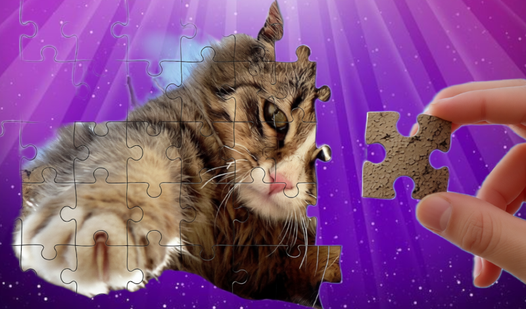
- Massive Piece Counts: The 576-piece mode turns a relaxing hobby into a grueling marathon. You will regret picking this difficulty.
- Custom Visuals: Adjust the transparency of the sample image. It helps you see exactly where the jagged edges fit.
- Save Progress: Pick up where you left off later. It keeps your current board state safe.
- Category Variety: There are 19 different themes. Some pictures look a bit stretched on larger screens.
How to Play
Classic Puzzles: Getting Started
First, pick a category that doesn't make your eyes glaze over. You move pieces with your mouse or finger, which covers the basic Classic Puzzles controls. Just drag elements into place. Don't try to force pieces that don't fit; the game won't snap them into position if you're slightly off the mark.
Using the Classic Puzzles hint system
Stuck on a tricky edge? Double-click any element to get a nudge in the right direction. This is how to play Classic Puzzles when the screen gets too cluttered. Keep an eye on your background settings to make the pieces pop against the frame, or you will lose your mind.
Who Should Play Classic Puzzles?
Frequently Asked Questions about Classic Puzzles
Can I play Classic Puzzles on my phone?
Yes, it works fine on mobile devices. You just use your finger to drag and drop the pieces instead of a mouse.
How do I use hints in Classic Puzzles?
You just double-click any puzzle piece to highlight its correct location. It is a lifesaver when you are staring at a sea of identical sky pieces.
Is Classic Puzzles free to play?
Yes, Classic Puzzles is completely free to play on Nub Games. Optional in-app purchases are available. No download or registration required.
Can I play Classic Puzzles on mobile?
Classic Puzzles works on both desktop and mobile devices. Best played in landscape mode.
What age rating is Classic Puzzles?
The catalog age rating for Classic Puzzles is 0+.