

Key Features
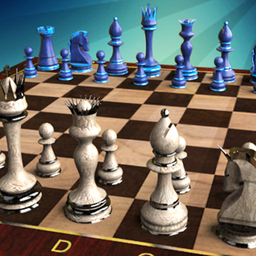
- Camera Angles: Rotate the board to spot threats from every side. It helps you see traps that look invisible from a standard top-down perspective.
- AI Difficulty: The bot scales from beginner to ruthless. It actually punishes your mistakes instead of just waiting for you to win.
- Step Back: Rewind your last blunder. It is helpful for learning, though it feels like cheating.
- Board Customization: Switch between 2D and 3D views. The 3D pieces look cool, but they make it harder to calculate long-range trades.
How to Play
Chess Master: Mastering the Pieces
Use your mouse to click and drag pieces across the board. You need to learn how to play Chess Master by understanding that pawns only march forward, while knights jump in L-shapes. Watch your king constantly. One bad move and you are staring at a checkmate screen before you can react.
Advanced Chess Master Tactics
The Chess Master controls are simple, but the special moves are where you win. Castling saves your king from early aggression, and En Passant catches opponents off guard when they try to bypass your pawns. A common mistake is moving your queen out too early. Keep her safe until the endgame.
Who Should Play Chess Master?
Frequently Asked Questions about Chess Master
Can I play Chess Master on my phone?
Yes, it works perfectly on mobile browsers. You just tap the pieces to select them and tap again to move, making it a solid choice for quick games on the go.
How do you castle in Chess Master?
You castle by moving your king two squares toward the rook while both pieces haven't moved yet. Just ensure your path is clear and you are not currently in check.
Is Chess Master free to play?
Yes, Chess Master is completely free to play on Nub Games. There are no in-app purchases. No download or registration required.
Can I play Chess Master on mobile?
Chess Master works on both desktop and mobile devices. Best played in landscape mode.
What age rating is Chess Master?
The catalog age rating for Chess Master is 6+.