









Key Features
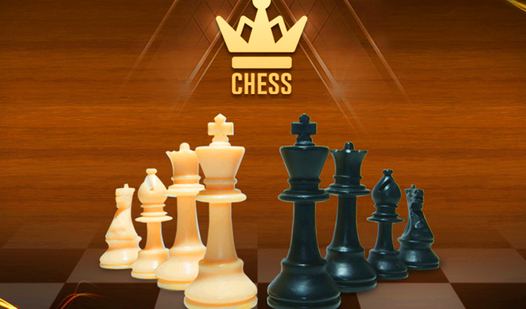
- Clean board layout: The high-contrast pieces help you spot threats instantly. You will stop missing those sneaky bishop slides across the diagonal.
- Smart AI opponent: It actually punishes your blunders instead of just moving randomly. You will learn to value your pieces properly.
- Instant move feedback: Valid squares glow when you select a piece. This prevents you from wasting turns on illegal moves.
- Minimalist UI: The interface stays out of your way. You get to focus entirely on the board state.
How to Play
Chess Free: Getting started
To start, use your mouse or tap the screen to grab a piece and drag it to a valid square. Chess Free controls are simple enough, but you need to watch your back. Beginners often leave their knights hanging early on. That is a quick way to lose your momentum.
Mastering Chess Free tactics
Figure out how to play Chess Free by controlling the center of the board first. If you control the middle, you dictate the pace. Do not rush your pawns forward without support. You will find that the computer AI gets meaner the longer you manage to stay in the match.
Who Should Play Chess Free?
Frequently Asked Questions about Chess Free
Can I play Chess Free on my phone?
Yes, you can pull this up on your mobile browser anytime. The touch controls mirror the desktop experience, though you might need to zoom in if your screen is tiny.
What are the controls for Chess Free?
You just point and click with your mouse on desktop or tap directly on the screen for mobile. It is a standard drag-and-drop system for every single piece.
Is Chess Free free to play?
Yes, Chess Free is completely free to play on Nub Games. There are no in-app purchases. No download or registration required.
Can I play Chess Free on mobile?
Chess Free works on both desktop and mobile devices. Best played in landscape mode.
What age rating is Chess Free?
The catalog age rating for Chess Free is 0+.