
Key Features
- King mobility: Promoted pieces slide across the entire diagonal. Use this to trap your opponent in a corner before they realize it.
- Tactical locking: Blocking enemy movement is just as vital as capturing. Sometimes the best move is one that prevents a jump.
- Instant resets: Matches end quickly, so you can restart a game after a loss. No waiting for long animations or loading screens.
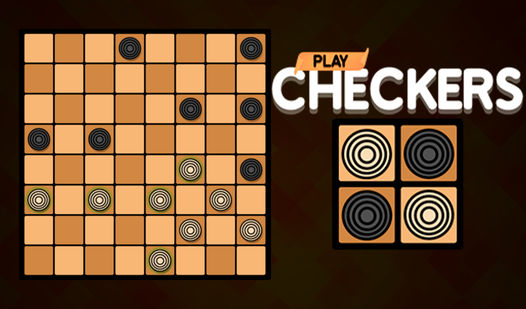
- Classic [tabletop] feel: The board layout matches the traditional experience. It keeps things clean while you focus on the [checkers] match ahead.
How to Play
Checkers: Mastering the basics
Use your mouse to drag pieces diagonally across the dark squares. Focus on controlling the center early on. If you do not plan two moves ahead, you will lose your pieces fast. The Checkers controls are simple, but the strategy is brutal. Do not just move forward blindly during your turn.
How to play Checkers with Kings
Reach the back row to promote a piece into a King. These units can slide across the board in any direction. This is how to play Checkers if you want to dominate the endgame. Be warned, the AI is sometimes a bit too predictable once you understand its logic patterns.
Who Should Play Checkers?
Frequently Asked Questions about Checkers
How do you win at Checkers?
You win by either capturing all of your opponent's pieces or forcing them into a position where they cannot make a legal move. Keep your back row blocked for as long as possible.
Can I play Checkers on my phone?
Yes, the site works on mobile devices as well as desktop computers. The touch controls are responsive enough for quick matches while you are waiting for the bus.
Is Checkers free to play?
Yes, Checkers is completely free to play on Nub Games. There are no in-app purchases. No download or registration required.
Can I play Checkers on mobile?
Checkers works on both desktop and mobile devices. Best played in none mode.
What age rating is Checkers?
The catalog age rating for Checkers is 6+.