











Key Features
- Five physics engines: Switch between arcade, drift, and race behaviors instantly. Each one fundamentally shifts how your tires grip the pavement during tight turns.
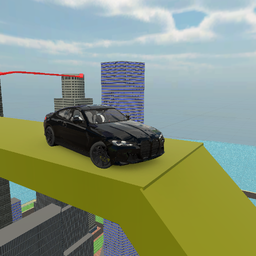
- Vertical city tracks: The levels aren't just flat loops. You’re driving up massive structures that punish any hesitation.
- Bus vs Sports-car: The bus has a massive hitbox. You’ll struggle to fit through gaps that a smaller car clears easily.
- Instant camera shifts: Tap C to swap perspectives. Getting a top-down view helps when you’re hanging off the edge of a building.
How to Play
Mastering Cars Up controls
Use WASD or your arrow keys to steer. The physics feel floaty, so tap the keys rather than holding them if you want to avoid spinning out. This is how to play Cars Up effectively. Just don't expect the bus to handle like a sports car; it’s basically a heavy brick on wheels.
Cars Up: choosing your mode
Press the number keys to toggle behavior. Mode 3 is for drifting, while mode 5 is pure chaos for jumping off ramps. I usually stick to arcade mode for speed. You’ll find that Cars Up controls get slippery if you switch modes mid-air, so pick your style before you hit the gas.
Who Should Play Cars Up?
Frequently Asked Questions about Cars Up
What are the controls for Cars Up?
You use the WASD keys or arrow keys to drive your vehicle. Press the spacebar to lock your handbrake and tap C to cycle through the different camera angles.
Can I play Cars Up on my phone?
Yes, it works on mobile devices as well as desktop browsers. You might find the touchscreen controls a bit tricky for precision drifts, but it’s still playable.
Is Cars Up free to play?
Yes, Cars Up is completely free to play on Nub Games. There are no in-app purchases. No download or registration required.
Can I play Cars Up on mobile?
Cars Up works on both desktop and mobile devices. Best played in landscape mode.
What age rating is Cars Up?
The catalog age rating for Cars Up is 6+.