




Key Features
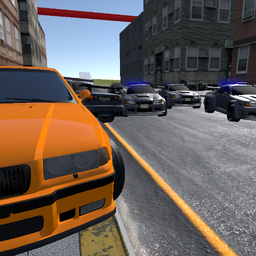
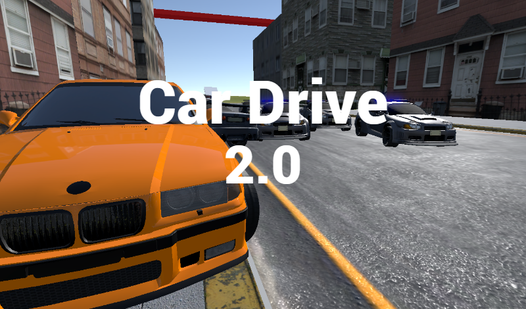
- Diverse Garage: Switch between heavy trucks and zippy sports cars. Each machine handles differently on the pavement.
- City Sandbox: The map is wide open. You can drive wherever you want without invisible walls stopping you.
- Drift Physics: The tires lose grip if you push them too hard. It creates some wild moments.
- Recording Mode: Hit R to capture your driving. It helps you see exactly where you messed up that jump.
How to Play
Mastering Car Drive 2.0 controls
Use WASD or the arrow keys to steer your vehicle through the urban sprawl. You need to learn how to play Car Drive 2.0 by balancing speed with the handbrake. Don’t hold the gas through every turn. You will slide right into a wall if you don't feather the throttle.
Using signals in Car Drive 2.0
Press Q and E to trigger your turn signals while navigating traffic. It feels weirdly satisfying to signal before a sharp turn. Just watch out for the camera settings using C, as the default view can feel a bit sluggish when you are trying to pull off a high-speed drift.
Who Should Play Car Drive 2.0?
Frequently Asked Questions about Car Drive 2.0
How do you drift in Car Drive 2.0?
Build up enough speed and tap the Space key to engage the handbrake while turning. You have to counter-steer quickly to keep the car from spinning out completely.
Can I play Car Drive 2.0 on my phone?
Yes, the game is optimized for mobile browsers. You get the same physics and car selection as the desktop version, though the touch controls feel a bit less reactive.
Is Car Drive 2.0 free to play?
Yes, Car Drive 2.0 is completely free to play on Nub Games. There are no in-app purchases. No download or registration required.
Can I play Car Drive 2.0 on mobile?
Car Drive 2.0 works on both desktop and mobile devices. Best played in landscape mode.
What age rating is Car Drive 2.0?
Car Drive 2.0 has a content rating of 0++. It is suitable for all ages.