






Key Features
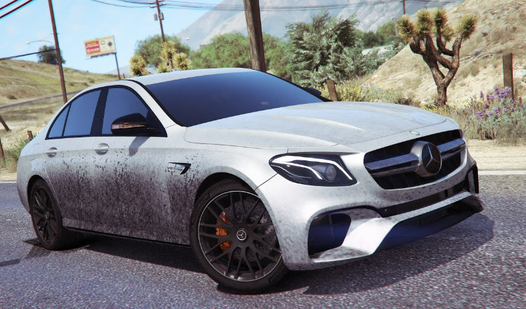
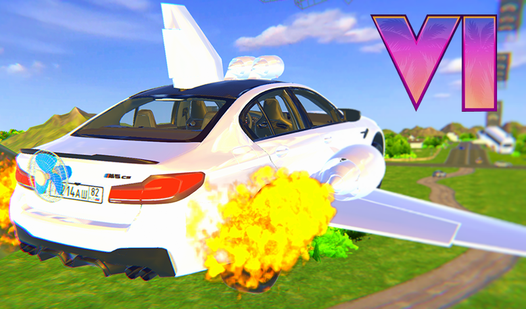
- Custom Garage: Tweak your ride to look exactly how you want. The visual mods don't change the engine, but you’ll look faster.
- Drift Physics: The tires feel a bit slippery at first, which makes every turn a high-stakes gamble.
- City Streets: The map is packed with obstacles and traffic that wait to ruin your perfect run.
- Camera Angles: Toggle the C key to find the view that makes you feel like you’re actually sitting in the driver’s seat.
How to Play
Mastering the Bustle on E 63 controls
Use the WASD keys or arrow keys to steer your ride. The Bustle on E 63 controls feel pretty responsive, but hitting that handbrake with the Spacebar is the only way to survive the sharpest city corners. Keep your eyes on the road, because over-steering usually leads to a messy collision.
Winning in Bustle on E 63
To learn how to play Bustle on E 63 effectively, you need to prioritize speed over flashiness. Use the F key for a quick acceleration boost after you finish a drift. Don't worry about the turn signals or high beams too much; they’re mostly just for show while you’re tearing through the streets.
Who Should Play Bustle on E 63?
Frequently Asked Questions about Bustle on E 63
Can I play Bustle on E 63 on my phone?
Yes, it runs on mobile browsers without any extra setup. You might find the touch controls a bit trickier than a keyboard, though.
What are the controls for Bustle on E 63?
Use WASD or arrow keys for movement, Spacebar for the handbrake, and F for acceleration. You can also use C to swap your camera view while driving.
Is Bustle on E 63 free to play?
Yes, Bustle on E 63 is completely free to play on Nub Games. There are no in-app purchases. No download or registration required.
Can I play Bustle on E 63 on mobile?
Bustle on E 63 works on both desktop and mobile devices. Best played in landscape mode.
What age rating is Bustle on E 63?
The catalog age rating for Bustle on E 63 is 6+.