












Key Features
- Global routes: Drive through diverse environments including Alaska and Rome. Each location features unique road conditions and traffic density.
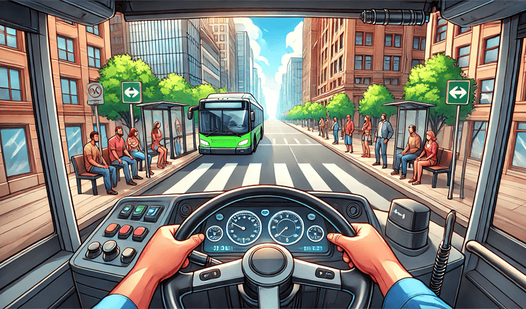
- Camera options: Switch between first-person and third-person perspectives to suit your driving style.
- Multiple modes: Choose between a structured racing campaign or a free mode where you pick your own bus and city.
How to Play
Mastering Bus Driver Simulator 3D controls
Use the W-A-S-D keys to steer your vehicle through tight city streets. Use the spacebar for the handbrake when you need to stop quickly at a station. Learning how to play Bus Driver Simulator 3D requires you to watch for traffic patterns which change depending on the city.
Switching views in Bus Driver Simulator 3D
Press the C key to toggle between the first-person cabin view and the third-person camera. The internal view provides a better look at your dashboard while the external view helps you navigate around obstacles. Use your turn signals with the Q and E keys to signal your intentions to other cars.
Who Should Play Bus Driver Simulator 3D?
Frequently Asked Questions about Bus Driver Simulator 3D
Can I play Bus Driver Simulator 3D on my phone?
Yes, you can play this game on mobile devices. Use the buttons on your phone screen to manage your bus instead of the keyboard controls.
What are the controls for Bus Driver Simulator 3D on PC?
Use W-A-S-D to drive and the spacebar to engage the handbrake. You can also use the Q and E keys for turn signals and the C key to change your camera view.
Is Bus Driver Simulator 3D free to play?
Yes, Bus Driver Simulator 3D is completely free to play on Nub Games. There are no in-app purchases. No download or registration required.
Can I play Bus Driver Simulator 3D on mobile?
Bus Driver Simulator 3D works on both desktop and mobile devices. Best played in landscape mode.
What age rating is Bus Driver Simulator 3D?
The catalog age rating for Bus Driver Simulator 3D is 6+.