






Key Features
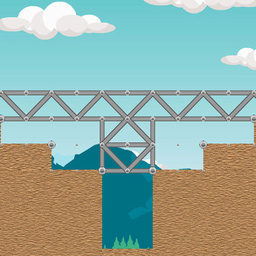
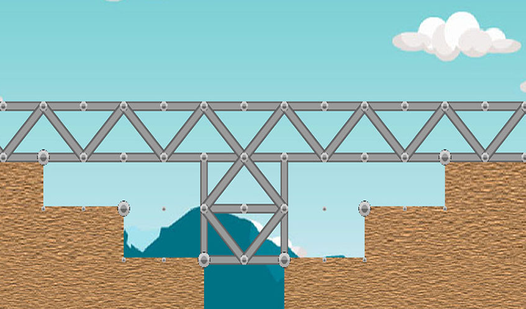
- Weight physics: The train adds mass that stresses your joints. Watch your beams bend before they snap under the pressure of the engine.
- Resource limits: You have a strict number of parts for each level. Using too many means your design is too expensive.
- Structural stress: Lines change color when they are about to fail. This visual cue helps you spot the weak link in your design.
- Point bonuses: Saving materials earns you a better score. It forces you to rethink your geometry instead of just adding more wood.
How to Play
How to Build a bridge: The basics
To learn how to play Build a bridge, click on a node and drag your mouse to create beams. Build a bridge controls are simple drag-and-drop mechanics. Sketch your path carefully before the train arrives. Watch out for gravity, as it is your worst enemy in this game.
Build a bridge: Efficiency is king
You get extra points for using fewer parts, so do not overbuild your supports. A common mistake is using too many beams, which makes your structure heavy and prone to collapse. If the train makes it across without the bridge snapping, you qualify for the next puzzle.
Who Should Play Build a bridge?
Frequently Asked Questions about Build a bridge
Can I play Build a bridge on my phone?
Yes, it works on mobile devices as long as your browser is up to date. The touch controls are responsive enough for most of the early levels.
How do you get a high score in Build a bridge?
You need to minimize the number of parts used while ensuring the train reaches the other side. Every unused piece adds to your final total.
Is Build a bridge free to play?
Yes, Build a bridge is completely free to play on Nub Games. There are no in-app purchases. No download or registration required.
Can I play Build a bridge on mobile?
Build a bridge works on both desktop and mobile devices. Best played in landscape mode.
What age rating is Build a bridge?
The catalog age rating for Build a bridge is 6+.