










Key Features
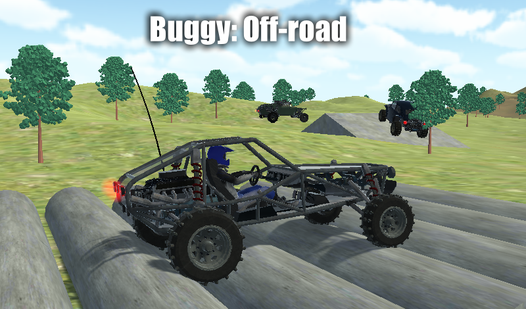
- Physics-based chaos: The vehicle bounces and slides based on the terrain. You’ll feel every rock under your tires.
- Variable terrain: Switch between desert, forest, and mountain zones. Each location forces you to change your driving style entirely.
- Nitro bursts: Use your boost wisely on the test map. It’s the difference between clearing a jump and face-planting.
- Camera options: Toggle views with C to get a better angle on tight trails. It helps during those blind drops.
How to Play
Mastering Buggy: Off-road controls
Use WASD to steer and keep your momentum up. You need the Shift key for nitro boosts on those massive mountain climbs. If you mess up and flip, just hit R to reset your progress instantly. Learning the Buggy: Off-road controls is the only way to survive the steeper inclines.
How to play Buggy: Off-road effectively
Most players crash because they slam the throttle on every jump. You should tap the brake before hitting a ramp to keep the nose level. A common mistake is holding the handbrake through sharp turns, which just kills your speed. Mastering how to play Buggy: Off-road requires patience on the test map.
Who Should Play Buggy: Off-road?
Frequently Asked Questions about Buggy: Off-road
How do you use the camera in Buggy: Off-road?
Just tap the C key while you are driving to cycle through the different perspectives. It helps you see over hills or get a better look at your wheels.
Can I play Buggy: Off-road on my phone?
This game is built for desktop browsers using keyboard inputs. You will need a computer to handle the specific button layouts properly.
Is Buggy: Off-road free to play?
Yes, Buggy: Off-road is completely free to play on Nub Games. There are no in-app purchases. No download or registration required.
Can I play Buggy: Off-road on mobile?
Buggy: Off-road is currently available on desktop only. Best played in landscape mode.
What age rating is Buggy: Off-road?
The catalog age rating for Buggy: Off-road is 12+.