

















Key Features
- Rocket boosters: These clear entire rows of annoying pieces. They help when the board is too crowded to move anything.
- Ice door mechanics: Gates stay frozen until you clear specific bricks. It changes how you plan your moves for the later stages.
- Cloud saves: Your progress syncs across every device. You can finish that tricky level on your phone during your commute.
- Undo button: One bad drag does not ruin your run. It lets you fix a mistake without restarting the whole board.
How to Play
Brick Out!: Master your movement
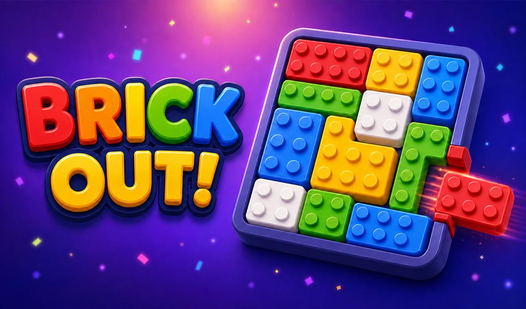
Use your mouse or tap to drag bricks toward their matching gates. You need to clear a path first, so shove the wrong-colored pieces out of your way. Brick Out! controls feel a bit slippery at first, so move with intention. You will mess up if you rush your initial positioning.
Brick Out!: How to manage the ice doors
Some gates stay frozen shut until you clear enough other bricks. You have to learn how to play Brick Out! by prioritizing easy exits to thaw those locked paths. If you ignore the simple moves, you will run out of time while staring at a wall of ice.
Who Should Play Brick Out!?
Frequently Asked Questions about Brick Out!
How do I use the UFO booster in Brick Out!?
The UFO booster acts as a wild card to clear difficult pieces. Just tap the icon when you are stuck to clear a space and keep your timer from running out.
Can I play Brick Out! on my phone?
Yes, the game works perfectly on mobile browsers. You can use your touchscreen to drag the bricks, which actually feels more natural than using a mouse.
Is Brick Out! free to play?
Yes, Brick Out! is free to play on Nub Games. No download or registration required.
What age rating is Brick Out!?
The catalog age rating for Brick Out! is 6+.