

















Key Features
- Program Mode: Build a command queue and execute moves one at a time. This allows you to plan complex sequences before committing to them.
- Visual themes: Switch between day and night modes to adjust your view.
- Progress tracking: Local progress and leaderboards keep track of your performance.
How to Play
Boltoria: Nut Workshop: Managing your hardware
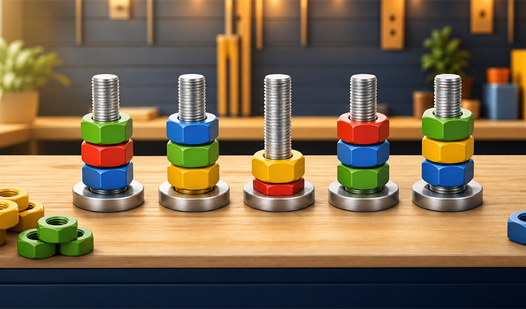
Select the source bolt followed by your destination to move pieces. You must place nuts onto an empty bolt or a stack with the same top color. If you have adjacent top nuts of one color, they move as a group. Mastering this is how to play Boltoria: Nut Workshop effectively.
Solving Boltoria: Nut Workshop lock conditions
You need to watch bolt capacity closely, as each holds two to five items. Some nuts arrive hidden behind question marks, and you must complete specific lock conditions to progress. If you get stuck, you can request an extra bolt once per level through a rewarded ad.
Who Should Play Boltoria: Nut Workshop?
Frequently Asked Questions about Boltoria: Nut Workshop
How many levels does Boltoria: Nut Workshop have?
The game includes 5,000 fixed levels divided across five distinct chapters. All chapters are available immediately for you to explore.
Can I play Boltoria: Nut Workshop on my phone?
Yes, the game is supported on both desktop and mobile platforms. You can jump between devices since progress is stored locally.
How do you use Program Mode in Boltoria: Nut Workshop?
You build your commands in the queue first and then press the Play button to execute them. Use the undo function if your batch of commands fails.
Is Boltoria: Nut Workshop free to play?
Yes, Boltoria: Nut Workshop is free to play on Nub Games. No download or registration required.
What age rating is Boltoria: Nut Workshop?
The catalog age rating for Boltoria: Nut Workshop is 6+.