










Key Features
- Grid Logic: Every placement forces you to think three moves ahead. One wrong drop locks your board state for the next turn.
- Clean UI: The interface stays out of your way. Visuals focus on the blocks so you can spot line completions immediately.
- Infinite Pacing: There is no ticking clock. Take as long as you want to figure out the optimal spot for each piece.
- Mobile Friendly: Drag and drop feels natural on touchscreens. It works just as well on your phone as it does on desktop.
How to Play
Blocks 8: Mastering the Drag
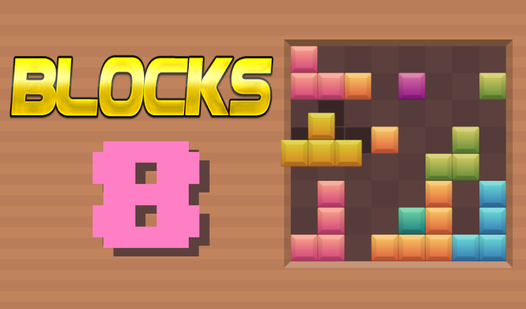
To learn how to play Blocks 8, just click and drag the shapes from the bottom tray onto the main grid. The Blocks 8 controls are strictly point-and-click, so keep your mouse steady. You need to complete full rows or columns to clear space. Don't just dump pieces anywhere; you will run out of room fast.
Blocks 8: Avoiding the Dead End
Your biggest enemy here is clutter. If you place blocks without a plan, you will block yourself into a corner. One common mistake is filling the board too quickly without finishing a single line. The game gets frustrating once the grid fills up, as some pieces simply won't fit the remaining gaps.
Who Should Play Blocks 8?
Frequently Asked Questions about Blocks 8
Can I play Blocks 8 on my phone?
Yes, it works perfectly on mobile browsers. You just tap and drag the blocks with your finger instead of using a mouse to clear the board.
What games are similar to Blocks 8?
If you want more logic puzzles, try Avoid Waves - Rescue Memes! or the frantic Obby: Brainrot Train Chase for a change of pace.
Is Blocks 8 free to play?
Yes, Blocks 8 is free to play on Nub Games. No download or registration required.
What age rating is Blocks 8?
The catalog age rating for Blocks 8 is 0+.