











Key Features
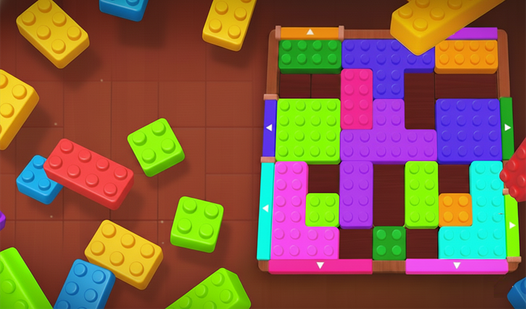
- Grid pressure: The board fills up faster than you expect. You need to keep the middle clear or you hit a dead end.
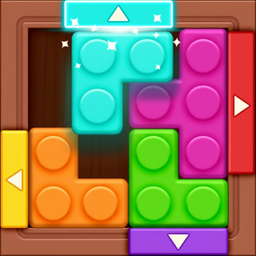
- Shape variety: Some pieces are huge L-shapes that ruin your day. They force you to rethink your entire plan mid-game.
- Visual clarity: Colors are distinct. You can spot your next move without squinting.
- Quick restarts: The UI resets instantly. You can jump back into a relaxing session after failing.
How to Play
Mastering Block puzzle: Classic puzzle placement
Use your mouse or tap to grab the shapes. Place them to fill rows or columns entirely. Once a line is solid, it vanishes. Learning how to play Block puzzle: Classic puzzle means keeping the center open. Don't just dump blocks anywhere or you will run out of room fast.
Block puzzle: Classic puzzle controls and strategy
The Block puzzle: Classic puzzle controls are simple enough for anyone. Drag pieces from the bottom onto the grid. A common mistake is leaving single gaps that are impossible to fill later. Watching your spacing is the only way to survive once the screen starts filling up with awkward shapes.
Who Should Play Block puzzle: Classic puzzle?
Frequently Asked Questions about Block puzzle: Classic puzzle
Can I play Block puzzle: Classic puzzle on my phone?
Yes, it works fine on mobile browsers. You just tap and drag the blocks with your finger instead of using a mouse cursor.
Are there games similar to Block puzzle: Classic puzzle?
If you want more chaos, try Obby: Brainrot Train Chase for platforming or Avoid Waves - Rescue Memes! for faster reflexes.
Is Block puzzle: Classic puzzle free to play?
Yes, Block puzzle: Classic puzzle is completely free to play on Nub Games. There are no in-app purchases. No download or registration required.
Can I play Block puzzle: Classic puzzle on mobile?
Block puzzle: Classic puzzle works on both desktop and mobile devices. Best played in none mode.
What age rating is Block puzzle: Classic puzzle?
The catalog age rating for Block puzzle: Classic puzzle is 0+.