



Key Features
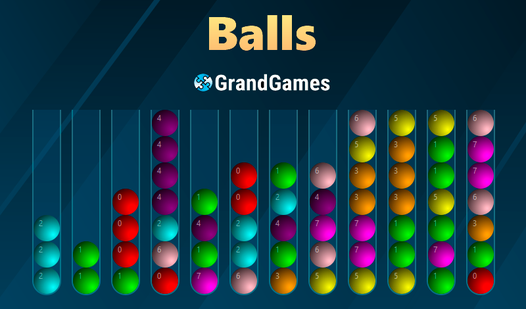
- Customized difficulty: You pick the number of flasks and colors. This lets you scale the chaos to your current mood.
- Hidden ball mode: Flasks shade their contents if they don't match the top ball. It makes your memory work overtime.
- Colored flask challenge: You have to match balls to specific containers. It turns a simple sorting task into a real headache.
- Clean UI: The menus are simple. You won't get distracted by useless fluff while trying to solve these grids.
How to Play
Balls GrandGames: The basics of movement
To start, use your mouse to click a flask and shift a ball to another. You need to keep the target flask empty or match the colors. Learning how to play Balls GrandGames is simple, but don't get cocky. The Balls GrandGames controls are just basic clicks, but one wrong move ruins your whole setup.
Mastering Balls GrandGames shortcuts
Double-click a flask for instant movement if you're feeling fast. It skips the slow animations. Most people mess up by filling every flask too early, which creates a logic wall. If you run out of empty slots, you're toast. Stay patient, because the later levels get cramped and mean.
Who Should Play Balls GrandGames?
Frequently Asked Questions about Balls GrandGames
Can I play Balls GrandGames on my phone?
Yes, it works on mobile devices. You just tap instead of clicking to move the balls around your screen.
How do you move multiple balls in Balls GrandGames?
Use a double-click on the target flask. It moves the balls instantly without the standard animation, which saves you time.
Is Balls GrandGames free to play?
Yes, Balls GrandGames is completely free to play on Nub Games. There are no in-app purchases. No download or registration required.
Can I play Balls GrandGames on mobile?
Balls GrandGames works on both desktop and mobile devices. Best played in none mode.
What age rating is Balls GrandGames?
The catalog age rating for Balls GrandGames is 6+.