



Key Features
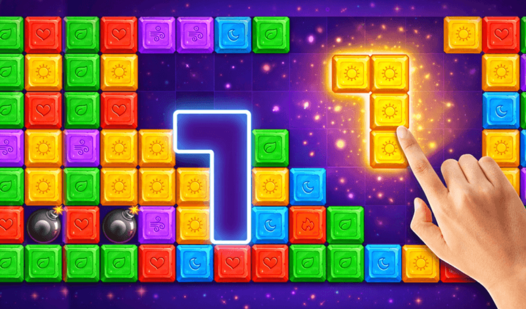
- Tactical Bomb Use: Clear a chunk of the board when you are cornered. It saves your run when the pieces stop fitting.
- Gravity Shift: Pull all floating blocks downward to tighten your layout. It creates extra room in the top rows.
- The Update Tool: Swap out your current pieces for a fresh set. Use this when you get a hand full of junk.
- Record Chasing: Every cleared line stacks your score higher. Compete against yourself to see how far you can push it.
How to Play
Mastering BlockUp Puzzle controls
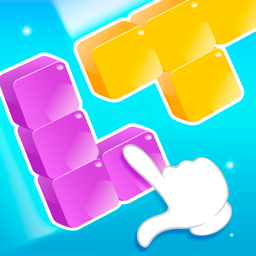
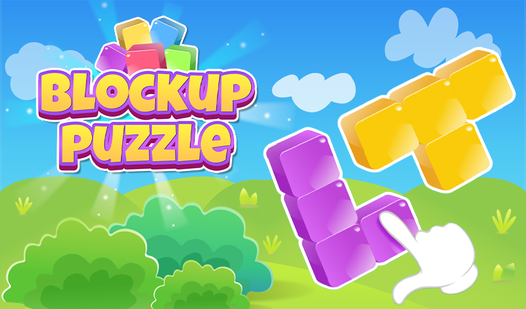
Use your mouse or touchscreen to drag shapes onto the board. You need to complete full rows or columns to clear them and earn points. BlockUp Puzzle controls are responsive, but clicking a piece into a tight corner can feel jittery if you move too fast. That is a common mistake that ruins runs.
How to play BlockUp Puzzle effectively
Always keep the center of the grid open for large blocks. If you clog the middle, you’ll find yourself unable to drop even the smallest pieces. As you progress, the game throws larger, more awkward shapes at you. You have to save your boosters for when the board gets crowded.
Who Should Play BlockUp Puzzle?
Frequently Asked Questions about BlockUp Puzzle
How do you use boosters in BlockUp Puzzle?
Click the booster icon at the bottom of the screen, then select the area or piece you want to affect. They cost coins, so save them for when your board is nearly dead.
Can I play BlockUp Puzzle on my phone?
Yes, it works perfectly on mobile browsers. You get the same experience as the desktop version without needing to install anything.
Is BlockUp Puzzle free to play?
Yes, BlockUp Puzzle is completely free to play on Nub Games. There are no in-app purchases. No download or registration required.
Can I play BlockUp Puzzle on mobile?
BlockUp Puzzle works on both desktop and mobile devices. Best played in portrait mode.
What age rating is BlockUp Puzzle?
The catalog age rating for BlockUp Puzzle is 6+.