










Key Features
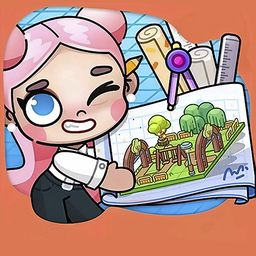
- Freeform construction: Forget rigid grids or locked templates. You place every house exactly where you want it.
- Atmosphere focus: The game rewards thoughtful placement of greenery. Your city feels more alive as you add benches.
- Endless refinement: Change your mind after an hour? You can always move buildings around to fix your mistakes.
- Public spaces: Balance your residential zones with fountains and parks. It keeps the city from feeling like a boring parking lot.
How to Play
Avatar: Build a City: Getting started
Tap the 🏗️ icon to open the build menu. Use your mouse or tap to drag houses onto empty plots, then hit the checkmark to save your progress. Learning how to play Avatar: Build a City is simple, but watch your spacing. You will quickly run out of room if you cram everything together.
Avatar: Build a City: Managing your space
Switch to the object tab to add fountains and trees. These decorate the area and keep your dwellers happy. The Avatar: Build a City controls are responsive, but placing small items like lanterns can feel a bit fiddly on smaller screens. Just take your time with the layout.
Who Should Play Avatar: Build a City?
Frequently Asked Questions about Avatar: Build a City
Can I play Avatar: Build a City on my phone?
Yes, it works perfectly on mobile devices. You just tap and drag objects directly on your screen to build your dream town.
How do you delete items in Avatar: Build a City?
To remove a building or object, just select it again while in construction mode. You can then drag it to a new spot or hit the delete option to clear the plot.
Is Avatar: Build a City free to play?
Yes, Avatar: Build a City is completely free to play on Nub Games. There are no in-app purchases. No download or registration required.
Can I play Avatar: Build a City on mobile?
Avatar: Build a City works on both desktop and mobile devices. Best played in landscape mode.
What age rating is Avatar: Build a City?
Avatar: Build a City has a content rating of 6++. It is suitable for all ages.