















Key Features
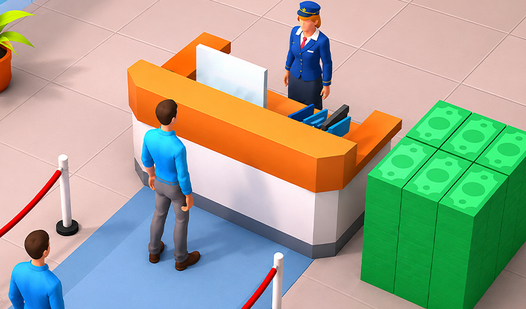
- Terminal expansion: Purchase new halls and counters to grow your footprint. Larger terminals allow you to host more scheduled flights simultaneously.
- Service upgrades: Invest in faster processing speeds. This reduces wait times and keeps your departure schedule on track.
- Passenger management: Oversee the entire check-in and boarding process. You must guide travelers through each stage to ensure they reach the plane.
How to Play
Managing Airport Simulator 3D queues
You must balance the flow of travelers moving through your facility. If you let lines grow too long, your efficiency drops. Use the Airport Simulator 3D controls to move to marked stations and clear tasks. This is how to play Airport Simulator 3D effectively while keeping every traveler moving toward their gate.
Airport Simulator 3D: expanding your hub
Reinvest your earnings into new counters and halls to handle more traffic. Expansion allows for more scheduled flights and higher revenue potential. Approach the service areas to trigger tasks and collect your profits. Upgrading your facilities is the only way to scale up your operation and succeed in Airport Simulator 3D.
Who Should Play Airport Simulator 3D?
Frequently Asked Questions about Airport Simulator 3D
What are the Airport Simulator 3D controls?
On a desktop, use the W, A, S, and D keys to navigate the terminal. Mobile users simply swipe across the screen in the desired direction to move their character.
Can I play Airport Simulator 3D on my phone?
Yes, this game is supported on mobile devices. You can swipe on your screen to interact with the airport facilities and manage your daily operations.
Is Airport Simulator 3D free to play?
Yes, Airport Simulator 3D is free to play on Nub Games. Optional in-app purchases are available. No download or registration required.
What age rating is Airport Simulator 3D?
The catalog age rating for Airport Simulator 3D is 6+.