

















Key Features
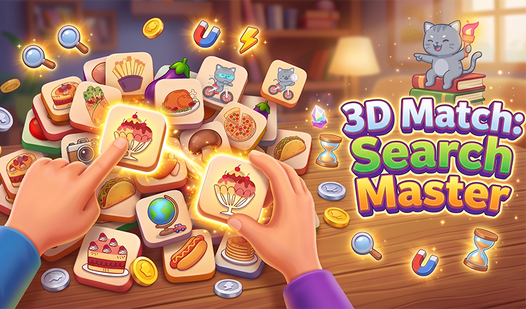
- Volumetric Chaos: Items exist in actual 3D space. You have to rotate the table to see what is buried beneath.
- Depth Perception: Objects overlap in ways that block your vision. You need to clear the top layers to reach the bottom.
- Visual Memory: The table resets with new patterns every time. You cannot memorize the layout.
- Slow Pacing: The camera controls feel slightly sluggish when you rotate quickly. It makes fast swipes feel weird.
How to Play
3D Match: Search Master: The basics
Use your mouse or tap the screen to grab items. The 3D Match: Search Master controls are simple, but the perspective shifts when you rotate the pile. Click two identical objects to clear them from the desk. Just drag your cursor to spin the view if you get stuck.
How to play 3D Match: Search Master efficiently
Focus on the outer edges first to create space. A common mistake is ignoring the depth of the pile. You must learn how to play 3D Match: Search Master by identifying items partially hidden underneath larger cards. Keep an eye on the corners, as that is where the hardest matches hide.
Who Should Play 3D Match: Search Master?
Frequently Asked Questions about 3D Match: Search Master
Can I play 3D Match: Search Master on my phone?
Yes, it works fine on mobile browsers. You just use your finger to pan around the table and tap the cards you want to select.
How do you rotate the table in 3D Match: Search Master?
Click and hold your mouse button or drag your finger across the empty space. This spins the entire pile so you can see behind the cards.
Is 3D Match: Search Master free to play?
Yes, 3D Match: Search Master is free to play on Nub Games. Optional in-app purchases are available. No download or registration required.
What age rating is 3D Match: Search Master?
The catalog age rating for 3D Match: Search Master is 6+.