
Noob Sandbox: Recipes and How to Unlock a New Tab

Progress in *Noob Sandbox* revolves around Grandpa's tasks and the recipes he gives you. Accept a task, complete its exact requirement, return for the reward, and check the menu for anything new. A recipe is not a decorative collectible. It records a newly learned action, building option, or menu section and advances the tutorial chain. If a tab is still locked, finish the current task and claim its recipe before looking for a hidden button.
How do you unlock a new tab in Noob Sandbox?
A new in-game tab is usually unlocked by the next step in the task chain: complete Grandpa's request, return to him, and make sure you collect the recipe or other reward.
A locked tab normally means the game has not introduced the related mechanic yet. Clicking the lock repeatedly will not help. Check which task is currently active and focus on that requirement. Once it is complete, speak to Grandpa again and continue the conversation until it fully ends. The game may treat completing the objective and claiming the reward as two separate steps.
After receiving a recipe, open the menu and inspect the tabs again. If nothing changes, close the menu, return to the main scene, and reopen it. Some interface elements update only after a conversation finishes or the screen changes. Look for notification markers as well. The new option may have appeared inside an existing section instead of becoming a large separate button.
Do not try to remove every lock at once. Tasks are sequential, so the next tab may depend on a previous tutorial step rather than the amount of material you have collected. Free experimentation can teach you the controls, but it does not necessarily advance the progression chain.
If you meant a browser tab rather than a section of the game, press Ctrl+T on Windows or Command+T on macOS. The game should remain open in the previous tab unless the browser unloads it from memory.
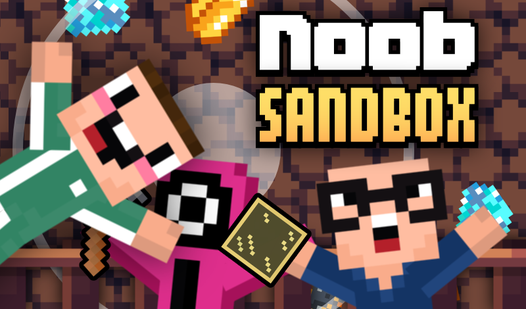

What is the recipe from Grandpa for?
The recipe records a new crafting method or unlocks the next available feature, so collecting it is part of your progress rather than an empty reward.
The usual sequence is simple: Grandpa gives you a task, you meet its requirement, return to him, and receive a recipe. The game can then mark the corresponding mechanic as learned. A recipe may be registered automatically, which means it will not always have a separate use button. If that happens, there is no need to carry it around the map or try it on every object.
Start by opening the section related to crafting, building, or available actions. Look for a new line, a highlighted icon, or a removed lock. The exact menu labels may vary, but the principle remains the same: receiving the recipe tells the game that you can access the next part of the system.
If the recipe appears among your collected items, read its description. It may indicate which group of actions it belongs to. Compare that description with the locked tabs and Grandpa's latest request. This will help you determine whether the recipe unlocked an entire section or only one new option within an existing section.
Do not discard or ignore a recipe until you confirm that it has been registered. At the same time, there is no reason to click it endlessly. If you see a new entry, an updated icon, or another conversation with Grandpa, the recipe has already done its job.
How can you tell whether a recipe worked?
A recipe has worked if the menu gains a new entry, a lock disappears, Grandpa's dialogue changes, or the next task becomes available.
Check your progress in this order:
- Open the menu section you used before receiving the recipe and look for a new icon or line.
- Inspect the locked tabs and compare them with their state before you handed in the task.
- Speak to Grandpa again. A new line of dialogue or another request confirms that the previous stage was accepted.
- Return to the object connected to the task and check which interactions are now available.
The visual change can be easy to miss. A lock may disappear from only one item inside a tab. Check the contents of every available section instead of looking solely at the top row of buttons.
A recipe remaining in your item list does not automatically indicate a bug. Tutorial games often keep such items as reminders. The more reliable signs of progress are new menu options, available interactions, and updated dialogue.
How do you play step by step?
The most reliable walkthrough follows a short loop: accept a request, perform the exact action, hand it in, collect the recipe, and test the newly unlocked feature.
- Survey the starting area to locate Grandpa, interactive objects, and the main interface buttons.
- Speak to Grandpa to obtain the current task instead of collecting everything at random.
- Read the entire objective so you know which action the game needs to register.
- Remember the exact wording and do not substitute a similar action if the objective fails to update.
- Complete only the active task and wait for a notification, counter change, or another interface response.
- Return to Grandpa as soon as the requirement is met so the current stage can be closed.
- Finish the full conversation and collect the recipe even if the objective already appears complete.
- Open the menu and locate a new tab, entry, action, or removed lock.
- Test the new mechanic on a nearby suitable object without spending all your materials at once.
- Accept the next task and repeat the loop while locked sections remain.
- Explore freely between tasks only after checking what the latest reward unlocked.
- Reload the page only as a last resort and first allow time for your progress to save.
This method may look slower than random exploration, but it saves time. You always know which action produced a recipe and why a new option appeared. If you complete several tasks, conversations, and experiments in one burst, it becomes much harder to identify what changed.
What should you do if Grandpa does not accept a completed task?
If Grandpa refuses to accept the task, check its precise requirement, confirm that it is active, and repeat the relevant action before resorting to a reload.
A common mistake is performing the correct action before accepting the task. The game may not count it retroactively. Take the request first, then repeat the required interaction. If the task involves several objects or stages, make sure you completed the full process rather than only its opening step.
Watch the interface after performing the action. No notification or counter change often means the game did not register it. Try again more carefully: move closer, allow the interaction or animation to finish, and only then leave. Avoid pressing several controls at once because one action may interrupt another.
When you return, speak to Grandpa again even if the first conversation seems complete. One interaction may close the objective while another awards the recipe. Do not walk away after a short opening line. If the character or conversation button still has a marker, there is probably more dialogue available.
Once you have checked everything else, close the menu, return to the main scene, and reopen it. You can then reload the page. Avoid clearing site data or browser storage because that may erase local progress, while a normal reload is generally the safer troubleshooting step.
How do you unlock everything without mixing up the recipes?
Work through one task chain at a time and inspect the menu after every recipe if you want to unlock the available features without confusion.
Follow a consistent route: Grandpa, task requirement, completion, return, reward, menu. Do not rush into the next request until you have identified the change caused by the previous one. This is especially useful when several tabs look alike or a recipe adds a small option inside an already open list.
Keep part of every material supply. A sandbox encourages immediate building and experimentation, but the next request may use the same type of resource. Since you do not know future requirements, a modest reserve is more useful than one oversized experiment followed by another long gathering session.
Test newly unlocked actions on a safe, easy-to-read object. Learn what the mechanic does before using it in a large structure or a lengthy sequence. This reduces the chance of wasting resources without understanding the result.
It also helps to separate progression from free play. Grandpa's requests unlock and explain systems, while the sandbox lets you combine them creatively. If your immediate goal is to open the remaining tabs, the active task should always come first.
Which tips make progression faster?
The fastest approach is a careful task loop in which you check every interface change immediately after receiving a reward.
- I always return to Grandpa as soon as the task completion signal appears. Continuing to roam makes it easy to forget which request ended and which recipe should have been awarded.
- I inspect the menu twice: once immediately after the conversation and once after returning to the main scene. This catches both a new section and a small entry added to an existing tab.
- I never spend my entire material supply on the first available structure. I keep some for the next task because gathering everything again usually takes longer than testing a mechanic carefully.
- I reload only after repeating the conversation and checking the menu. A reload cannot repair an unfinished objective, and it may force you to repeat recent actions if autosave has not run yet.
Do not search for a secret click combination behind every locked tab. The order of actions matters more. If you received a recipe but the expected tab remains locked, inspect nearby sections and check for new dialogue. The reward may have unlocked the first option in the next chain rather than the entire tab.
What should you play after Noob Sandbox?
If you enjoy free building, guided tasks, and gradually unlocked mechanics, try another Noob-themed sandbox. The same core habit applies: understand the available actions first, then experiment with their combinations.
In the version featuring bosses and portals, prepare before moving toward a new threat and test newly discovered options before spending them carelessly.
For a stronger focus on block construction, try the 3D crafting sandbox. Planning the overall shape and building small prototypes are especially useful there.
FAQ
How do you unlock a new tab in Noob Sandbox?
Complete Grandpa's active task, return to him, finish the conversation, and collect the recipe. Reopen the menu and check for removed locks or newly added entries.
Why does Grandpa give you a recipe after a task?
The recipe records a learned mechanic and unlocks a new action, menu option, or stage of the task chain. It may be applied automatically when collected.
Why is a completed task not being accepted?
Make sure you accepted the request before performing the exact required action. Wait for an interface response and finish every available conversation with Grandpa.
Do you need to click a recipe in your inventory?
Not always. Check the menu, Grandpa's dialogue, and the available interactions first. If a new entry or task appears, the recipe has already been registered.